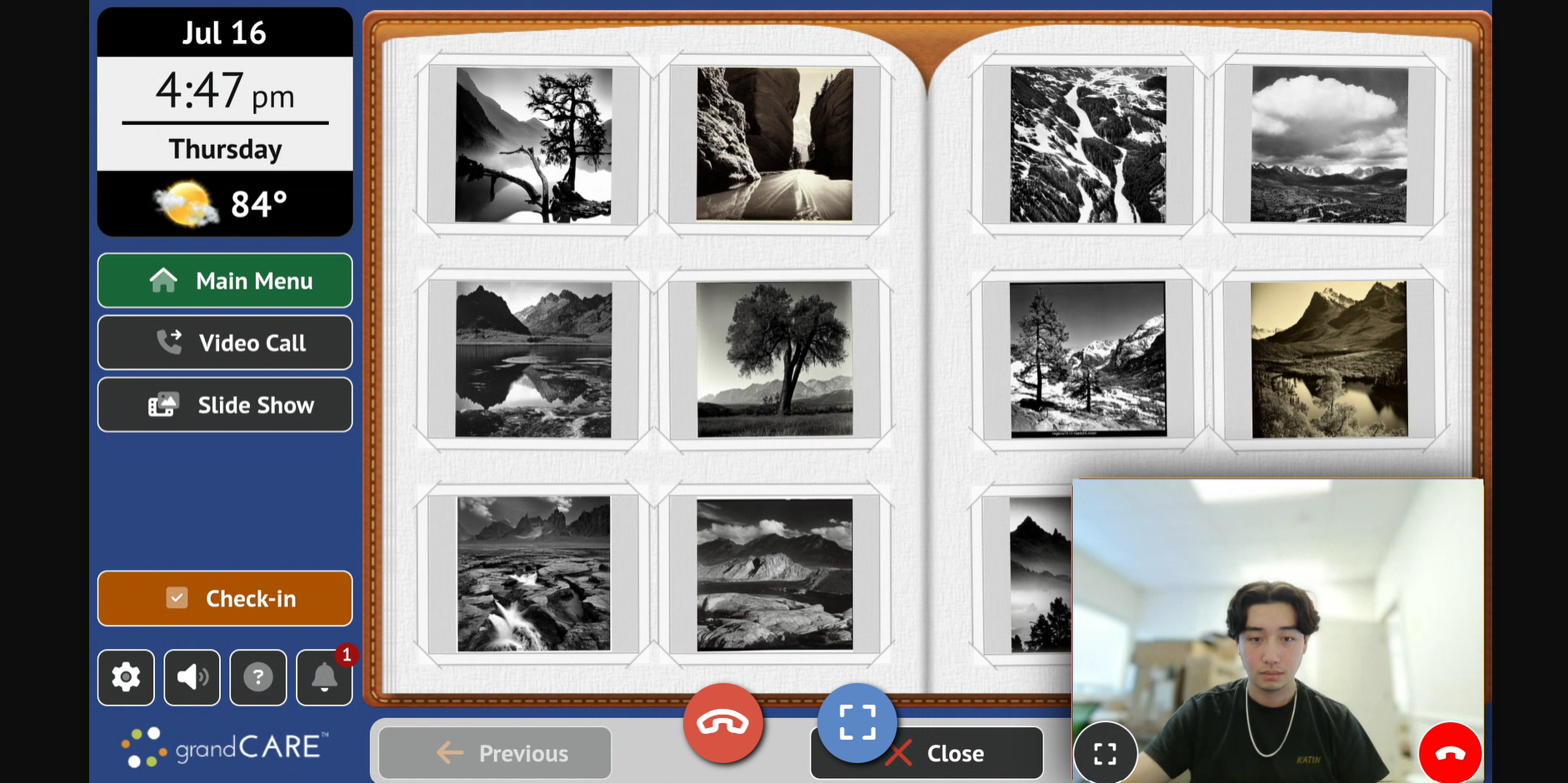
This release provides one of our most requested new features — allowing the resident to minimize the video screen and use the touchscreen without hanging up the call. This feature allows staff to provide even better support for their residents by being able to walk residents through using their touchscreen. . On the staff side of the call, the support agent can see what the resident is seeing as they use the touchscreen.
The screen share / picture-in-picture mode can be activated on either end of the call by pressing the minimize button. Screen sharing can be initiated by the resident for any staff device, including On-call client and the iOS and Android mobile apps. On the staff side, initiating picture-in-picture is currently available when using the care portal website but will be implemented in all the other platforms as updates roll out.
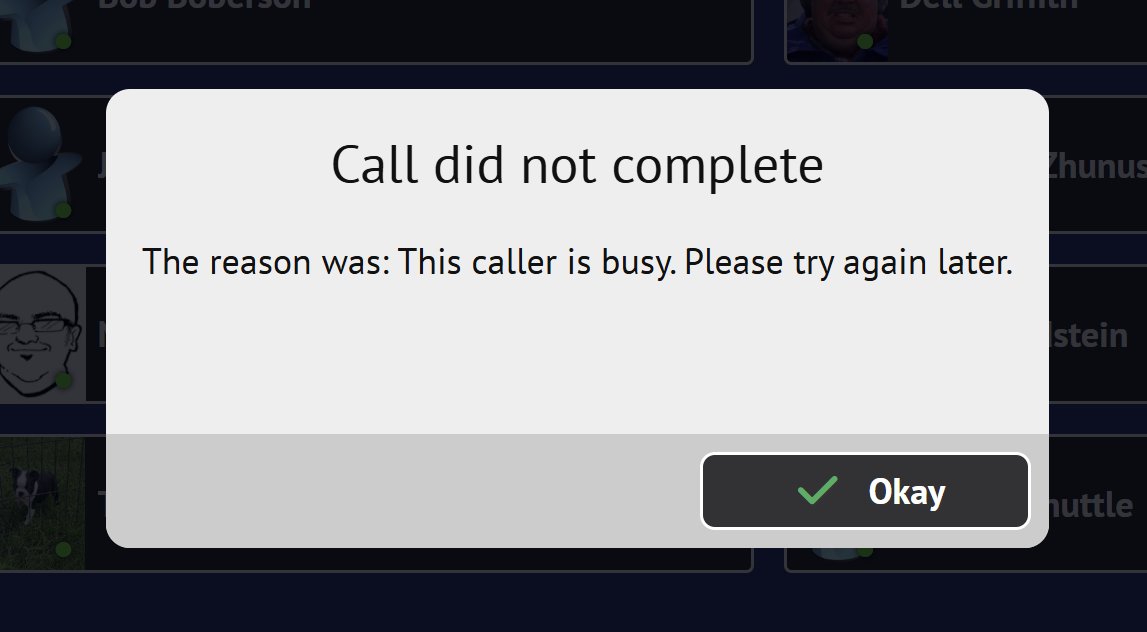
This release also improves the messaging of when a person they are trying to call is already in another call:
Finally, we provided fixes for a number of issues, especially regarding discovering IP cameras on misbehaving or strange setup networks.
Added support for picture-in-picture and screen sharing
Added configuration to prevent news click through
Improved IP camera streaming failure feedback
Changed busy handling to specify that the caregiver is currently busy
Switched to more universal and better controlled YouTube player
Changed minimum weight for manual entry to 25 Lbs.
Fixed error message while starting up IP camera service when no devices are present
Fixed issue that would cause today module to be blank if a service appointment was added
Fixed issue where a quotation mark in wifi SSID or Passphrase would cause failures
Fixed IP camera network detection under certain circumstances