This release fixes a few minor issues and adds more back-end support for the resident app.
Added new API components to support Resident App functionality
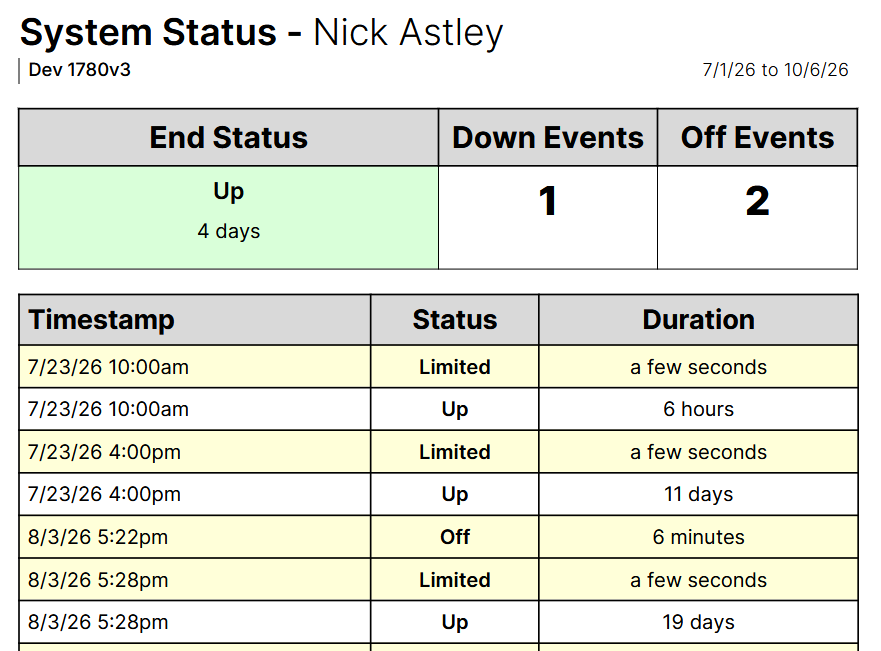
Fixed issue that prevented system Up notifications in certain circumstances
This release fixes a few minor issues and adds more back-end support for the resident app.
Added new API components to support Resident App functionality
Fixed issue that prevented system Up notifications in certain circumstances

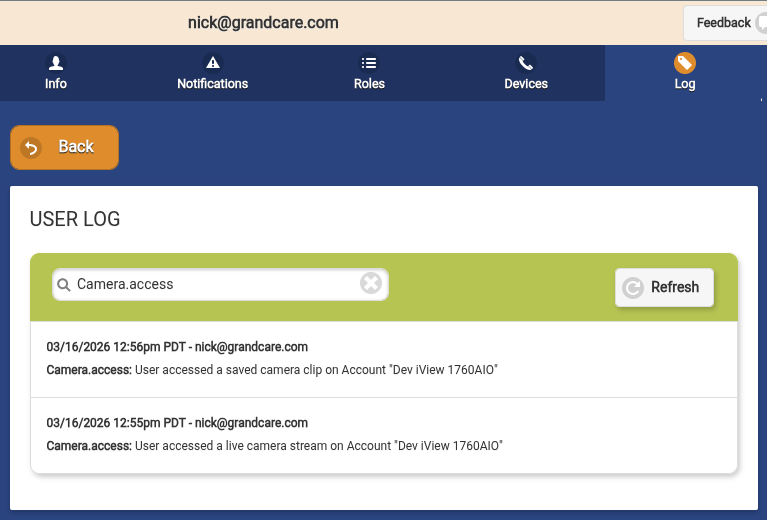
As cameras become more integrated in the GrandCare solution, many service providers have requested auditing tools to ensure their residents’ privacy is being respected. Now, any time a live camera feed or a saved video clip is accessed by a user, an entry is added to both the log for the user and the account. This can then be reviewed and audited as needed by the service providers. Camera access has also been removed for lower level communicators.
This release also resolved a number issues, including video calls to mobile and missing System Up emails under certain circumstances.
Added logging of all camera access to account and user logs
Removed camera access for communicator roles
Fixed issue with video call notifications being sent to mobile devices
Fixed missed System Up email under certain circumstances
Fixed systems incorrectly leaving Limited status in certain circumstances

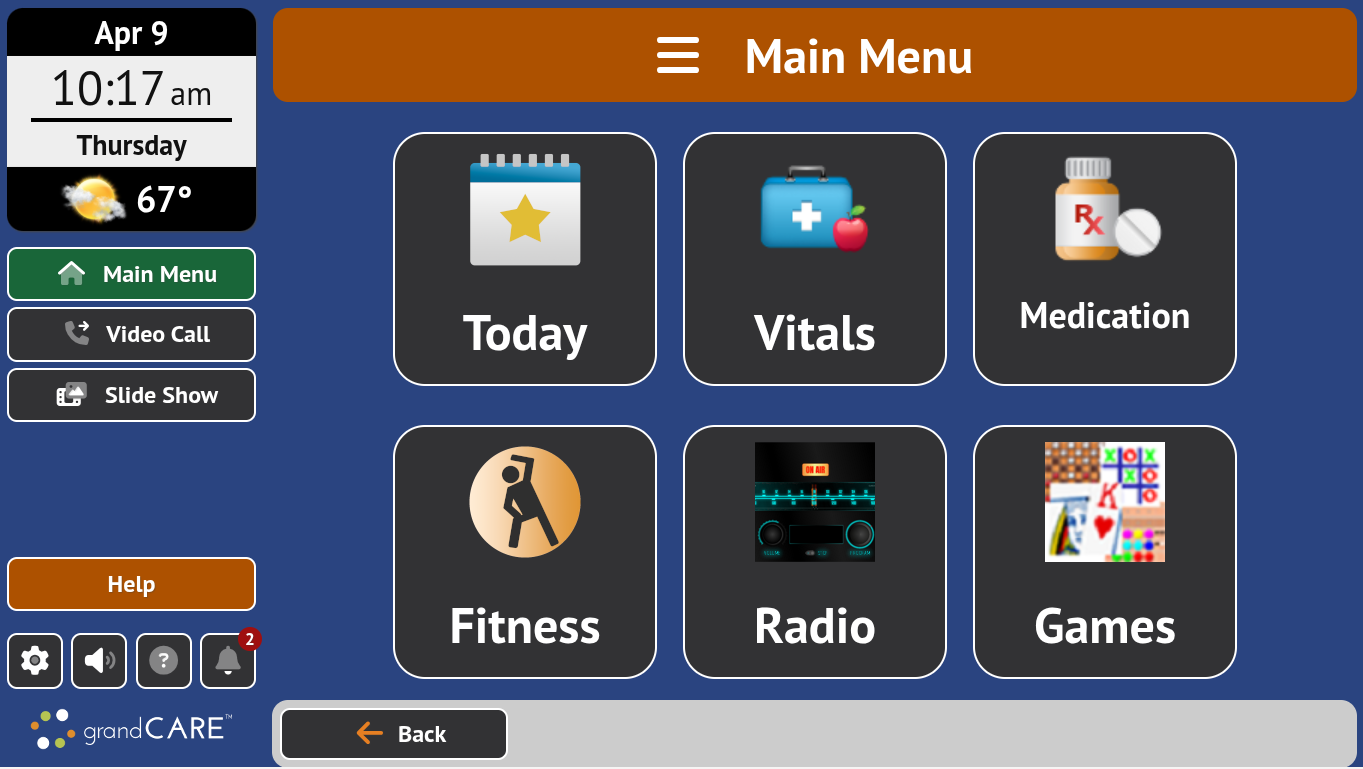
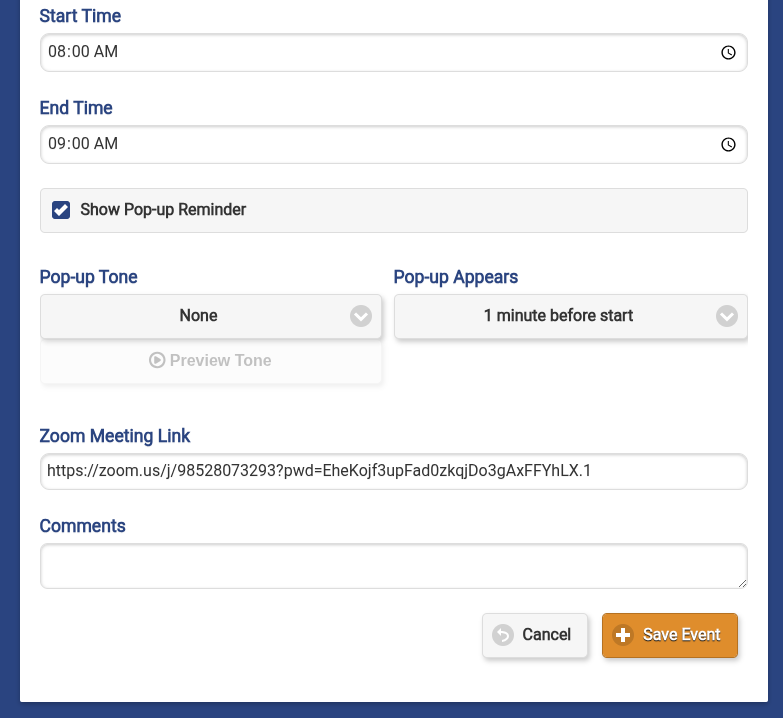
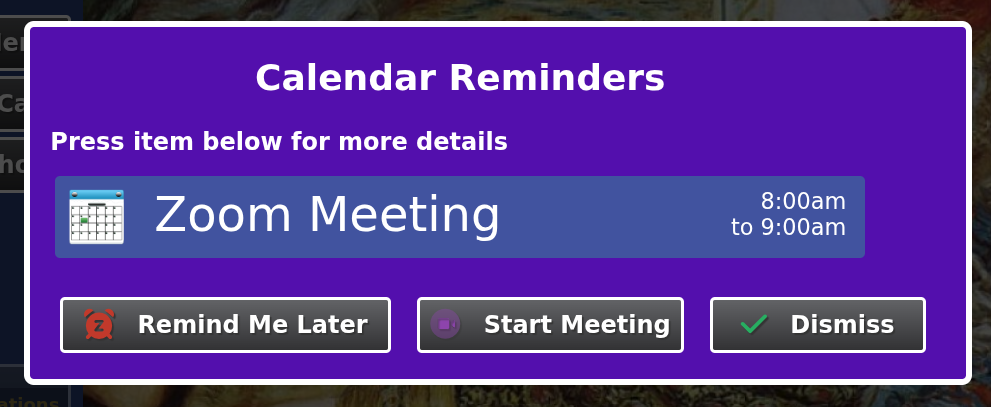
With native zoom support released in the 6.33.0 release of the In-home device software, we added the ability to provide a zoom link in calendar events. The zoom link can be added to both individual and community events, allowing for both on-on-one meetings and full community webinars. When the reminder pops up on the resident’s touchscreen, there is a “Start Meeting” button on the reminder:

When pressed, the zoom interface will load with their name prefilled. When they press the Join button the resident will join the zoom meeting.
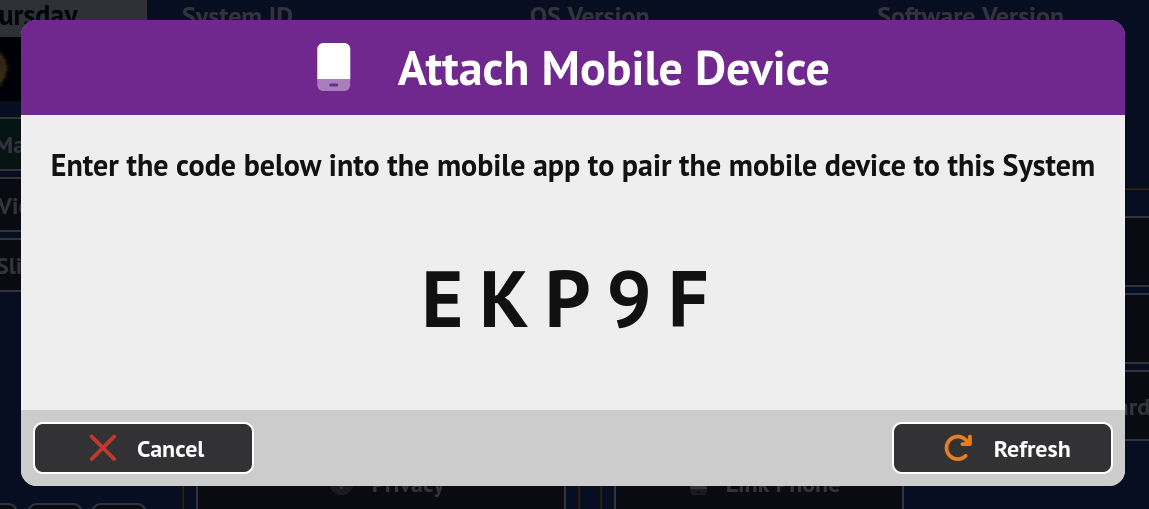
This release also added hooks for pairing mobile devices to systems for our upcoming resident app release and some significant performance improvements.
Added zoom link when creating calendar events
Added mobile device pairing and management for systems
Added horizontal scaling to greatly improve API performance
Added StationMD module support in Designer
Added domain lock option for websites in Designer

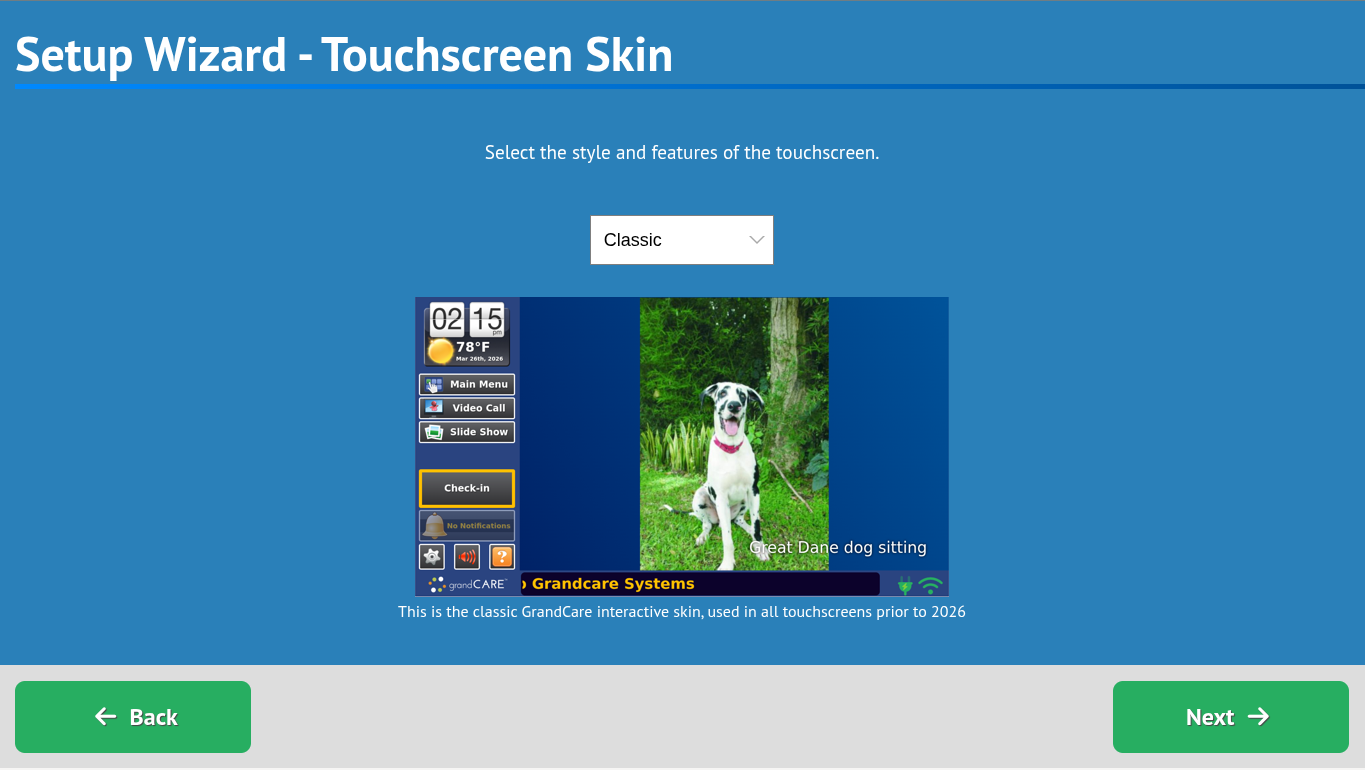
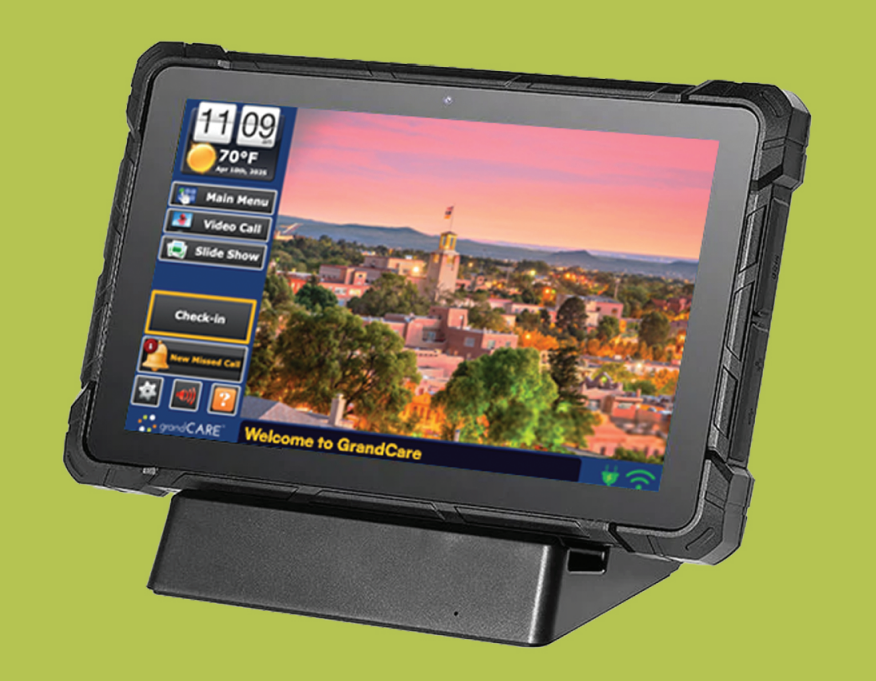
This release provides support for the new Rugged Tablet hardware, including expanding the screen for 16:10 screen ratio on this and the Wedge hardware. The release also provides native zoom meeting support — pasting a zoom link as a website will open the link correctly and allow the resident to join a zoom meeting on the touchscreen. Finally, the user interface was freshened up with additional iconography and a few minor issues were resolved.
Added support for Rugged Tablet hardware
Added 16:10 ratio screen support for Wedge and Rugged Tablet hardware
Added support for Zoom meetings in browser
Added setting to flip camera image in video calling
Added Notice of Privacy Practices document view from Settings
Allowed outgoing audio-only calls
Removed legacy on-line links in help overlay
Improved iconography on touchscreen interface
Fixed scrollbar styles for browser
Fixed IP camera scan never completing if no cameras are found
Fixed US news feeds
This minor release fixed a few random issues and consolidated several hotfixes.
Changed “Resident Directory” terminology to “Directory” to reflect staff usage
Fixed issue with requesting services dialog not submitting
Fixed intermittent issue with displaying today module
Fixed issue with some news feeds not updating
Fixed removal of deleted videos from touchscreens
This minor release provided a number of bugfixes and added support for our new small desktop hardware platform.
Added support for F6 hardware screen resolution
Added Dell and F6 USB port management
Added new audio books to content list
Removed browser button in network settings until it can be enabled by choice
Fixed display of medication in Today module under certain circumstances
Fixed permission issue that caused Reolink device communication to occasionally fail
Fixed activity log for todos when checked from today module and event view
Fixed issue with older iViews that would prevent correct screen on/off control

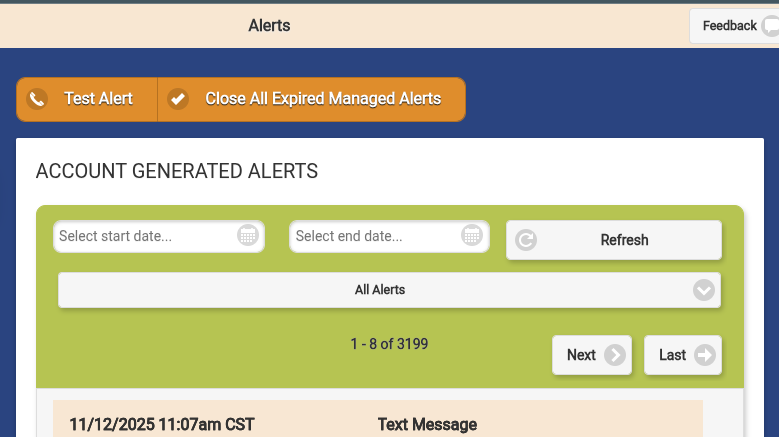
This release primarily adds a lot of back-end API support for upcoming features. It does provide the ability for Distributor and Group Admins to close all managed alerts over 14 days old. This feature was requested by many of our RSP clients to help manage their unclosed backlog.
Added button to close all managed alerts over 14 days old
Tweaked the confusing "check-in" language when a system goes down
Fixed timeout errors with reports with emojis
Fixed incorrect labeling of future ToDos as "Refused"
Fixed event calendar for months > 200 events
Fixed home issue with group caregivers with no accounts

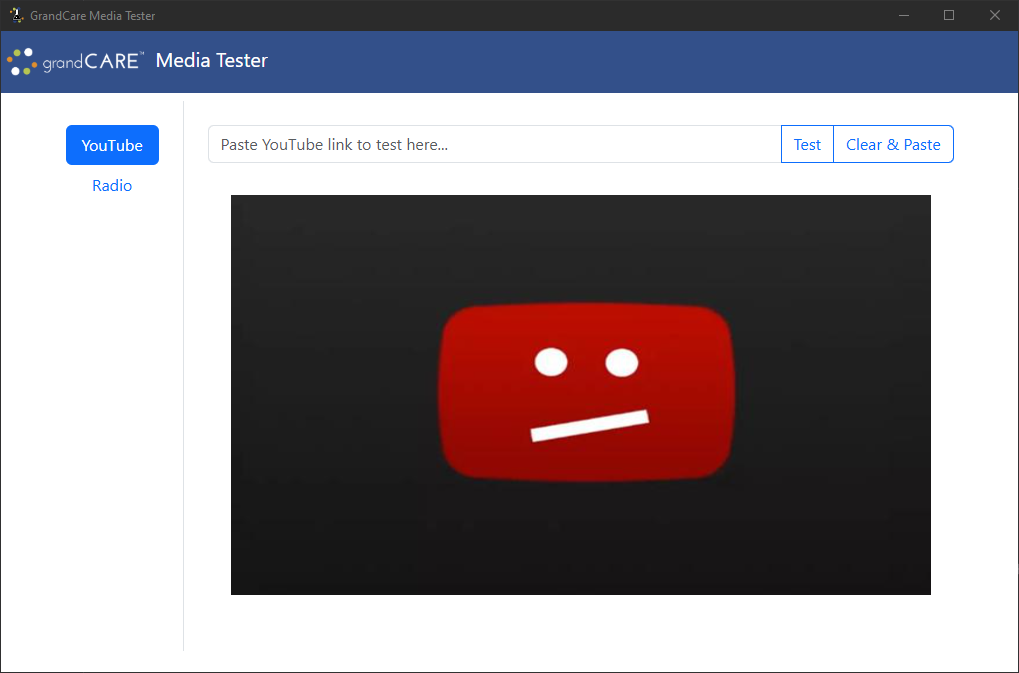
The GrandCare Media Tester native app allows content curators to test YouTube videos to see if they will work on the GrandCare touchscreen. This release fixes the Error 153 issue caused by recent changes in how YouTube implements its embedded videos. The Media Tester application was previously an internal application but is now publicly available.
Fixed Error 153 issue due to YouTube changes
This release provides more improvements to health device connectivity and fixes the issues introduced by changes at YouTube (the 153 error), in addition to a variety of other fixes and tweaks.
Added browser button to network settings to allow for checking for captive portal
Added activity stream item for when the resident presses the Check-in button
Removed ability to check todos on a future day
Changed video calling module to indicate if calling is not supported on hardware
Changed call manager to reject incoming calls if video calling is not supported
Updated Bluetooth antenna log to the new python-btle.log
Simplified Bluetooth management to improve connection reliability
Fixed embedded YouTube video requests to avoid 153 error
Fixed screen rotation on new F6 hardware
Fixed missing system device on some systems after backup restoration
This minor release fixes a number of camera installation related issues and restores connectivity for AND health devices.
Added blind connect for AND devices to improve connectivity (since they no longer seem to report RSSI / beacon)
Added check for functioning Bluetooth adapter before starting BT connection agent
Increased IP camera scan timeout for slower networks
Limited Bluetooth error message to systems with Bluetooth health devices
Improved error reporting for misconfigured IP cameras
Fixed file permissions that prevented IP camera configuration
Fixed radio module image not showing up on certain brands
Fixed content fetch only pulling 50 video lists
This minor release resolves a few additional issues introduced by the OS upgrade and with syncing.
Fixed issue creating single events
Fixed issue with account sync in certain situations
Fixed errors when system requested update without valid software versions
This release provides native support for IP cameras in the GrandCare ecosystem. With this, you are able to add supported cameras to a system that behave as motion sensors. You can view live streams and review clips of motion events.

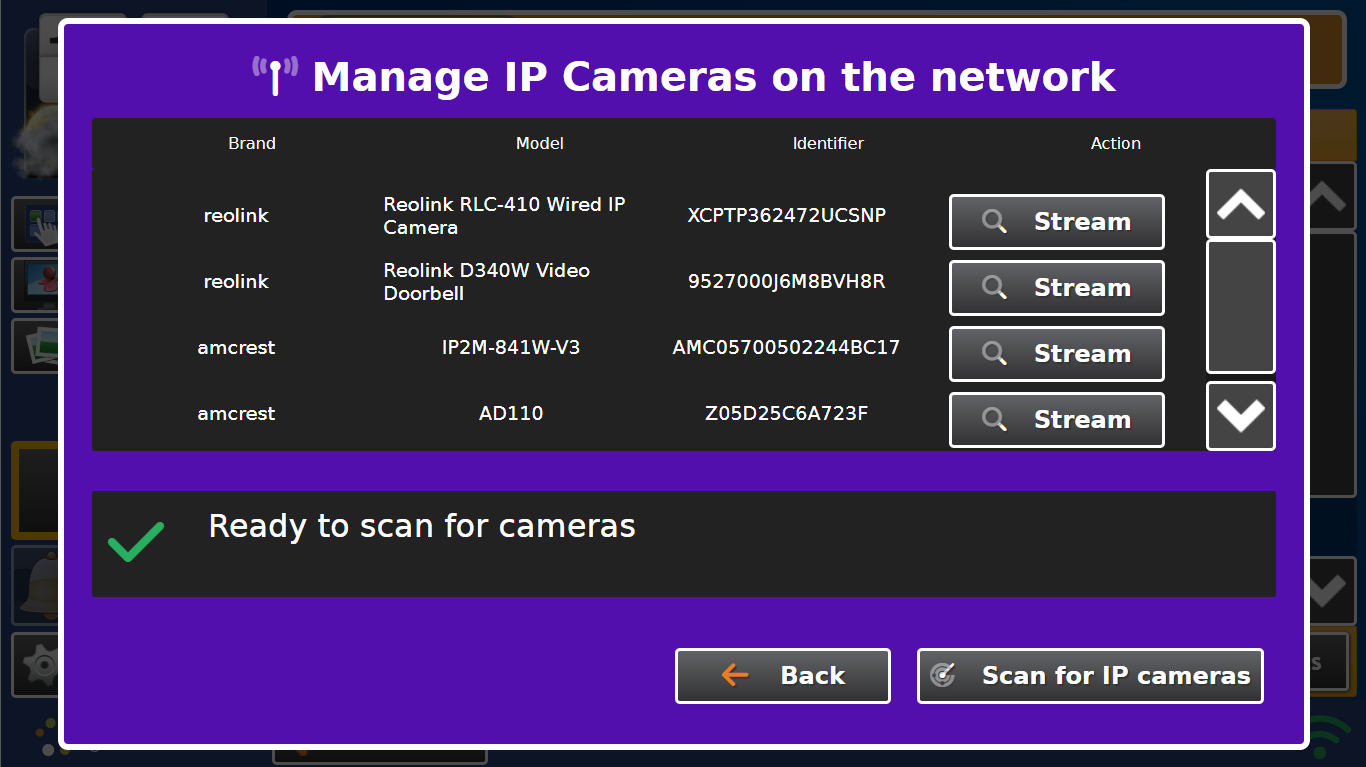
Cameras can be managed via the touchscreen interface by going to Settings → Devices → Manage IP Cameras. You will see the dialog at the above. Any supported cameras that have been added to the same network as the system will listed here for addition. To view the camera feed, in the dashboard go to the Account view and click the Cameras button.

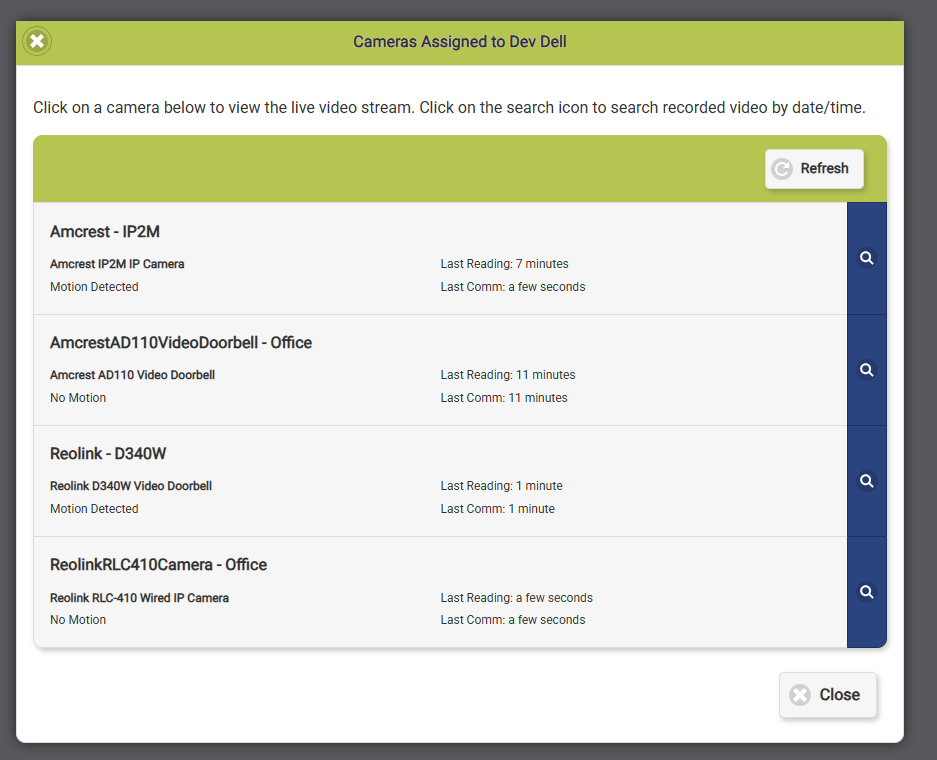
This will bring up a list of cameras associated with the account. Click on the camera to view a live feed from the camera. Click on the blue magnifying glass to view previous clips of motion.

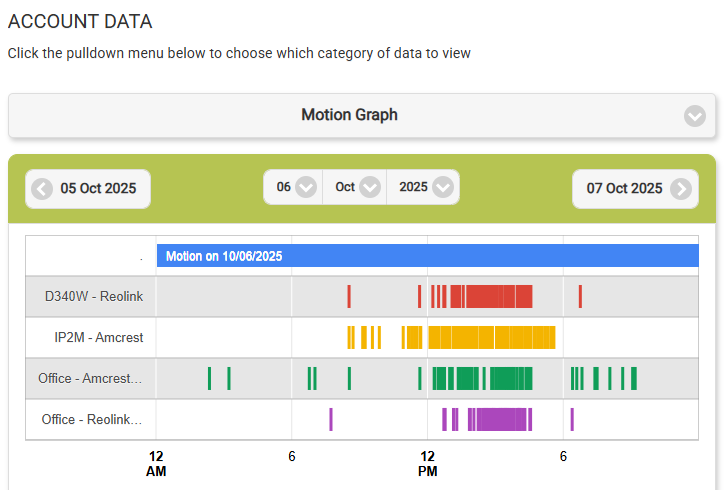
The cameras behave as motion sensors. You can assign rules to them as you would any other motion sensor and view the motion history. Additionally, you can assign rules to the doorbell devices as you would the touchscreen button.

The following cameras are supported:
Reolink E1 Pro IP Camera
Reolink RLC-410 Wired IP Camera
Reolink RLC-510WA Wireless IP Camera
Reolink D340W Video Doorbell
Amcrest IP2M IP Camera
Amcrest AD110 Video Doorbell
Finally, this release fixed a number of issues with special characters in Wi-Fi names/password, YouTube video viewing, and calendar viewing.
Added support for IP Cameras
Disabled scrolling to current time in Today module (when accessed via menu)
Fixed YouTube embedding/viewing issues
Fixed issue with Dell screens not coming back on from touch
Fixed layout issues with dialog with a large number of todo items
Fixed issue where hashtags couldn't be used in wifi passwords
Fixed issue with non-alphanumeric characters in Wi-Fi network name
Fixed issue where Unicode characters caused calendar loading to fail under certain circumstances
Handled error when pulling weather for a system that is not associated with an account
Fixed issue with server API returning no videos
This release resolves a number of issues introduced by the OS upgrade in 2.23.0. The primary issues were with reporting and the rendering of the monthly calendar.
Fixed reporting issues
Fixed monthly calendar time rendering
Fixed minor errors due to php version changes

This major update provides our first option for single sign-on option using “Sign in with Google”. If your GrandCare login is associated with a Google account, you can use this method to sign in to the dashboard. The update also provides the hooks for our upcoming support for integrated IP cameras that will be released as part of a future in-home device software update. Finally, we upgraded the underlying operating system for our servers to provide the latest security and safety measures.
This update will be rolled out to all of our servers over the next few weeks. We anticipate a 15 - 30 minutes of downtime during the server maintenance. We will announce on the server a few days prior when this downtime will occur.
Added "Sign in with Google" option for logins
Added Camera view on Account dashboard
Moved to Debian 12 bookworm for OS baseline
Upgraded API underlying software to improve performance
Fixed issue with syncing caregiver PINs with leading zeros
Fixed API crash due to missing upstream service
Fix API performance issue due to logging
This release provides a fix for “phone level” speaker volume when making video calls and a permission issue for certain users. This release is live on the Play Store and should automatically update on your device.
Fixed speaker phone output by default during video calls
Fixed permissions issue on initial app run

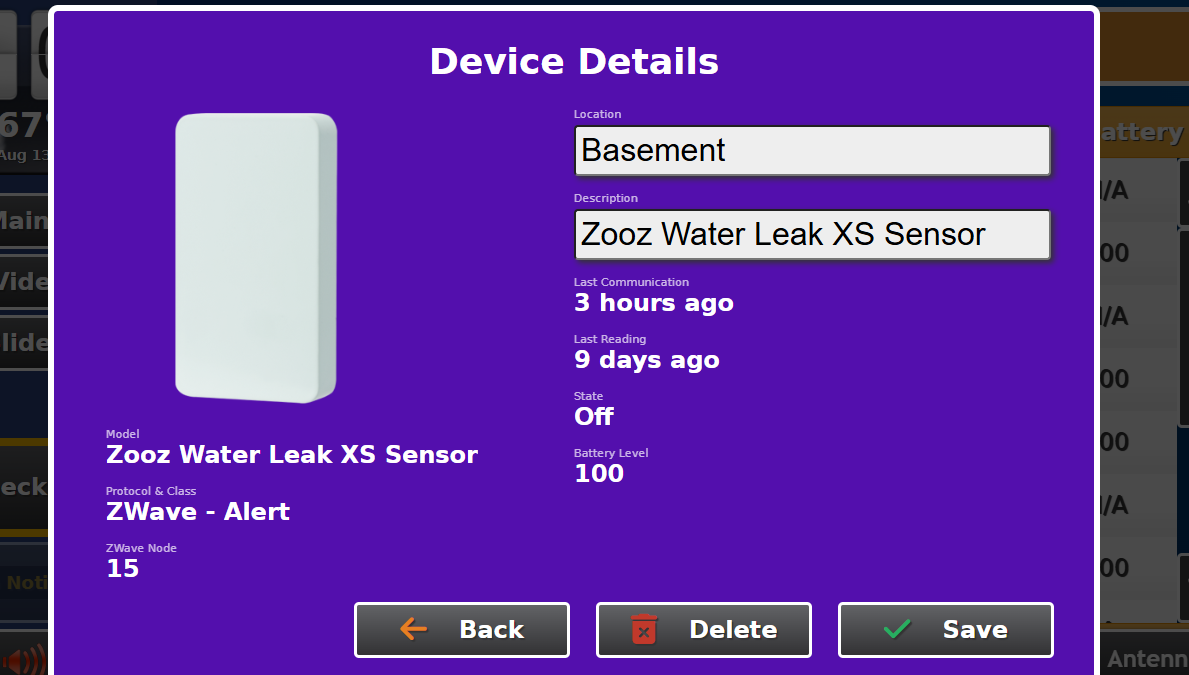
This update adds support for a number of ZWave alert devices. To support these new devices, we modified the Notification section of the care menu to accommodate both action buttons and alert devices. This includes adding new shared rule states for these device types. Finally, this update added a fix for AnD device pairing and scrolling for long medication lists.
Added support for Zooz DC Signal Sensor
Added support for Zooz Water Leak Sensor
Added support for Zooz Remote Switch
Changed action button rules to include new alert devices
Consolidated action button and alert device classes
Fixed scrolling issue with medication lists
Fixed issue that was causing AnD pairing to fail in certain circumstances
This minor release is live on the App Store. This fixes the incoming caller ID to match the resident name rather than display as “GrandCare Mobile”.
Fixed caller ID for incoming video calls
This bugfix release resolved a number of issues with the server-side software. It also adds some functionality required for fixing our mobile applications and functionality for future applications.
Added support for proxying RTSP streams from cameras to server
Changed APN phone notifications to include participant name to fix iOS caller ID
Fixed issue with Group Admins ability to modify stock content
Fixed issue with Administrators not being able to access Distributor Admin functions

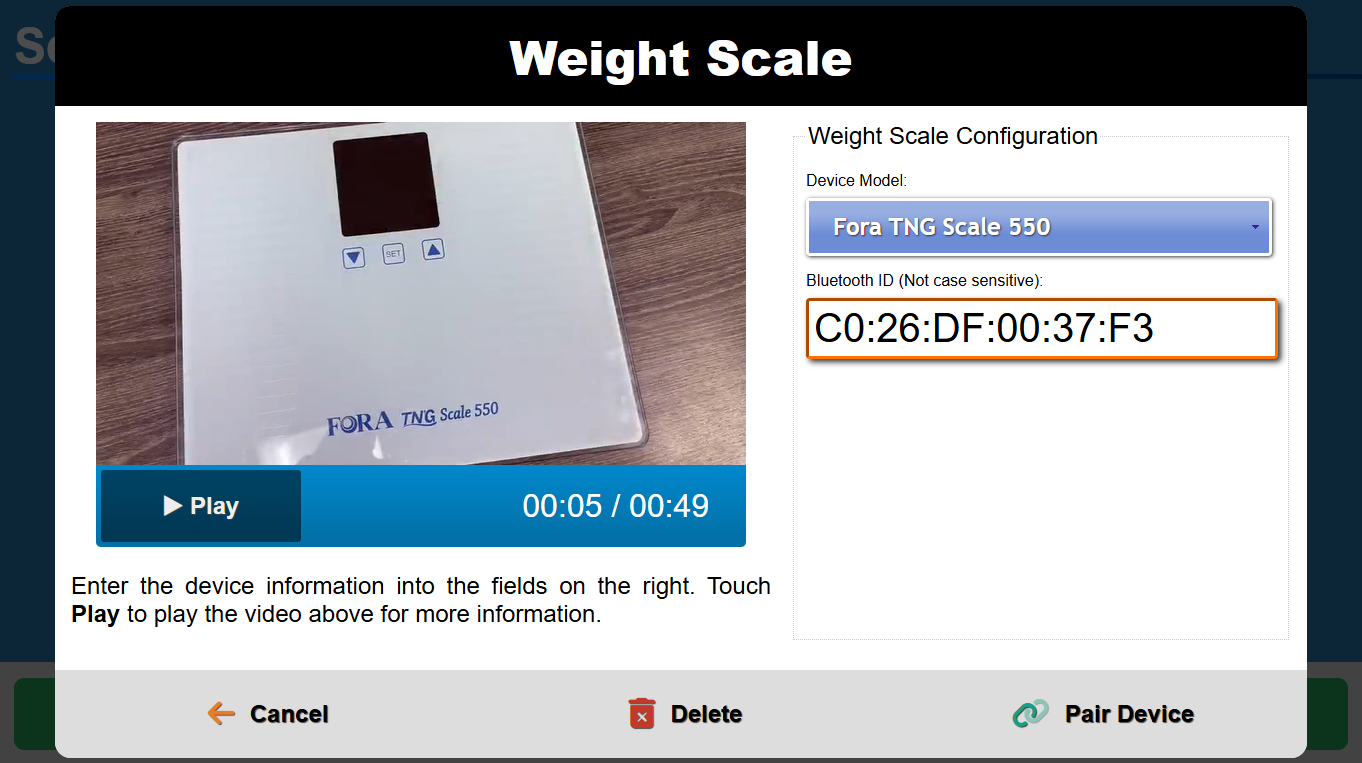
This release adds support for the following new health devices:
Fora TNG Scale 550
Fora TNG BP Blood Pressure Monitor
Fora P20b Blood Pressure Monitor
The release also improves reliability of the existing Fora health devices (oximeter, glucometer, and thermometer). It also updated several items on content.
Added support for Fora TNG BP Monitor
Added support for Fora P20 BP Monitor
Added support for Fora TNG Scale 550
Added The Gods of Mars audiobook
Added June 2025 Car Talk episodes
Switched all image-based icons on buttons to font-based icons
Removed the old bluetooth pairing videos
Updated old videos to improve file size
Updated New York radio stations
This release provides a number of Bluetooth related fixes, including a few related to the Setup Wizard. This should improve device connectivity during reading download and better handle issues during the pairing process. This release also fixes a few quirks in the Setup Wizard in general and other screen related issues.
Switched to improved Bluetooth device scanner
Removed screen on/off watchdog check that was causing screen interruptions
Fixed issue with device list in setup wizard not updating after managing Bluetooth devices
Fixed a few weird layout issues in the setup wizard
Fixed TTS button covering up assessment questions
Fixed issue that prevented certain models of screen from sleeping
This minor release adds support for WEBP images and a few minor fixes.
Added support for WEBP format images
Fixed issue with touchscreen restarting constantly under certain circumstances
Fixed delay between pushing and showing acknowledgement / messages on the touchscreen
This minor release primarily fixed the behavior of disabled users on mobile devices. When a user is disabled they will now be logged out of all the GrandCare mobile applications and unable to log back in. This release also added support for the fairly new image format WEBP and fixed an issue with account and community search.
Added support for WEBP images in photos and profile pictures
Changed behavior of disabled user sessions to require login again, which will fail due to their user accounts being disabled
Fixed broken search in community and account endpoints
This release has a number of miscellaneous improvements and fixes, including check time on todo reporting, biweekly event support, and sync fixes.
Added support for biweekly events
Added how many accounts use stock photo and video lists
Added check time to todo compliance reports
Removed unused short description in event list entries
Fixed issues with caregiver sync

This release focuses on calendar related features. It adds support for biweekly events added via the touchscreen (support on the server side will be added in next server release). It also removes the legacy length limitations for the title of events, which should resolve the irritating issues with saving events with emojis in the title. This release also adds narrow fonts to better display events in the monthly and daily calendar view.
Added support for biweekly (every other week) events
Added web fonts to ensure correct display in emulation
Added better generic hardware support for antennas
Removed short/long event descriptions in favor of single field
Removed legacy length limitation in event descriptions
Changed to narrow text for long calendar entries
Removed antenna support for obsolete hardware platforms
Fixed Unknown Caller incoming call when called from Admin user
This maintenance release fixes a number of issues on Android 11 and earlier and improves a few usability and quality of life issues.
Changed default server on new install to be my.grandcare.com
Fixed video call UI display on Android 11 and below
Fixed splash icon during startup on Android 11 and below
Fixed Forgot Password link
This release fixed a number of sync and user interface related issues.
Changed behavior of UI developer tools to be disabled by default
Improved Wifi scanning, resolving endless spin issue
Improved EULA disable
Fixed slow loading of video album module
Fixed issue with synchronizing community flyers
Fixed sync failure with invalid events

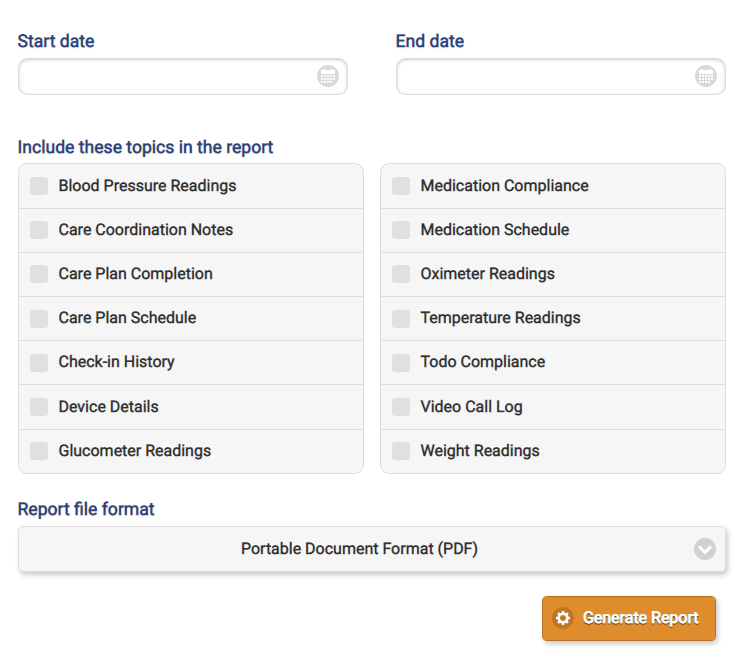
This release focuses on improving reporting capabilities in the care portal. The primary new feature is being able to run Account reports at the Distributor level, selected by Group. It also adds a Managed Alert report and adds the Assessment report at the Group level.
Added Distributor level Account reports
Added Assessment Response report at the group level
Added Managed Alert report

GrandCare is happy to announce the release of our Android caregiver app! Place and receive video calls, send messages, and send photos natively from your Android device. Click the link below install the app on your Android device.

This release finally provides full emoji support across the touchscreen, including in event descriptions. When creating messages or event descriptions, use the native Windows or macOS emoji keyboards to insert emojis. Additionally, the release fixes a number of issues related to text-to-speech, reminder, and main menu performance.
Added The Enchanted April and The Wind in the Willows audiobooks
Added February and March 2025 Car Talk episodes
Changed text-to-speech behavior to truncate text that is longer than 3000 characters
Updated radio stations for Indiana, Maine, Montana, Wisconsin, and Colorado
Fixed display of emojis in daily schedule
Fixed text-to-speech button on dialogs
Fixed timezone inconsistencies causing incorrect reminder behaviors
Fixed sync issues related to API performance
Fixed empty video list object breaking sync
This release contains mostly back-end changes to support our upcoming Android app. There are a few other general fixes and tweaks as well.
Added back-end support for Android devices
Switched from graph to chart for health devices when clicking in the Account Device Summary
Updated notifications to mute while in a video call
Fixed paging Video Call list in Account Data page
Fixed notifications when managed alerts count was greater than 50
Fixed a few wipe related issues

Originally released in the limited 6.28.0 version, this generally released update provides a new Setup Wizard experience that allows for installers to manage antennas and ZWave devices without having to exit the installer. It also provides support for standard emojis and a number fixes and optimizations to the touchscreen software.
Added antenna setup module to Setup Wizard
Added ZWave device setup into Setup Wizard
Added support for standard emojis
Refactored Setup Wizard to leverage new skin management
Tweaked existing dialogs and modules to be more skin agnostic
Improved filesystem cleanup on low disk space detection
Reduced frequency of reconnection to medikall server to prevent flooding
Improved display of Applying Update slide
Improved display of assessments with more that 15 questions
Fixed external HDMI mirroring for all iView models
Fixed issue with legacy photos management in care menu

This major release focuses on improving performance of the server dashboard and reducing issues with monitoring alerts for overnight staff. We also added a few new helpful Quality of Life improvements.
Added check for required fields before sending messages
Added list of user devices when viewing user
Added filters for users based on role
Added button to copy video list ID to clipboard
Changed group graphs to recent alerts on distributor/group dashboard
Improved performance of alert database calls
This released focused on resolving some strange caregiver syncing behavior and improving the internal wipe functionality.
Expanded items that are automatically wiped in wipe process
Disabled features for disabled accounts
Removed account name from account logging
Fixed issue with duplicated caregivers on accounts
This minor release resolved a few intermittent issues and improved video call reliability with updated libraries.
Added failure detection of screen on/off control
Upgraded javascript shared libraries
Fixed issue that intermittently prevented new dialogs from opening
Fixed layout issues when viewing messages with line breaks in them
This back-end update was released to clean up a number of minor issues exposed by the switch to the new baseline OS. The majority of these issues were not visible to end users.
Upgraded third-party PHP libraries
Fixed minor warnings exposed by OS upgrade
Quick update to resolve the problems with video calling that our iOS 18 users were experiencing.
Fixed app crash related to iOS 18 and video calling
This release primarily supports the upgrade of the underlying OS (from Debian Buster to Bullseye), but included a few minor changes and fixes as well. The deployment of this release has been spread over several weeks, but is now complete for all servers.
Moved to Debian Bullseye OS as baseline
Changed account lists to hide all disabled accounts by default
Improved video call history view in Account Data, including adding links to users/accounts for calls
Increased frequency of notification checks of logged in users
Improved display of battery status for devices
Fixed issue with syncing stock content into directories that don't exist
This release fixes a few issues with photo upload introduced by iOS 18 and improves video call performance. Update the app on your iOS device from the app store.
Changed photo upload behavior to allow for resume if upload fails
Updated included third-party libraries, including video calling support
Fixed issue with selecting photos for upload in iOS 18
This minor release contains a number of fixes and tweaks, including one fairly significant change to the default behavior of websites. By default all websites will now be opened locked to the domain — this will prevent unauthorized access of any potentially problematic websites via links. This release also fixes the incorrect logging of calls as missed that were in fact answered by the resident.
Added Delete button to the device edit dialog
Changed browser behavior to be domain locked by default
Fixed incoming calls being logged as missed when answered
Fixed button order on King's Cross game dialog and exiting game action
Fixed issue with restore that would break database if database files did not restore properly

This major release adds a number of client requested features. The first is that the Account name is included in the contact list below the resident name, allowing for distinction between multiple touchscreens that may belong to a single resident. Another new feature is that the alert sound will now ring every 20 seconds until the alerts/notifications are viewed or until the “Mute Audible Alerts” button is pressed. This will silence notifications until another new notification is received. Finally we added support for the latest macOS versions by signing our app through Apple.
Added Account name to rows in resident list
Added button to mute repeated audio alerts
Added app signing for proper support in modern macOS
Changed notification tones to repeat every 20 seconds until viewed or muted
Increased frequency of checking for notifications and managed alerts
Moved Logout button to the top and removed extraneous menu
This major release focuses on improving pairing and communication with Bluetooth health devices. By removing support for several health devices that were End-of-Life we were able to greatly simplify the underlying Bluetooth drivers, leading to significantly more reliable pairing and reading capture. This also removed code that was preventing us from moving forward with planned OS updates.
Simplified Bluetooth drivers to streamline device pairing and communication
Removed deprecated health devices from setup wizard
Improved display of battery status dialog when there is no battery present
Updated radio stations for North Carolina and Louisiana
Fixed issue with incorrect battery info if battery was not present
Added October 2024 Car Talk episodes
Added Dracula and Count of Monte Cristo audio books
This minor release resolved a number of issues with syncing content to the touchscreen and a number of other issues.
Allowed systems to open care menu using IPs in the same range as the VPN
Prevented residents from accessing Video Calling from Notifications if disabled
Fixed issue with missing instructional files when restoring a backup to a different system
Fixed issue with sync not removing content if everything is removed from the system
Fixed issue with sync not removing community events if system removed from community
This small update resolves an issue with the iOS app calling and an incorrect error message when adding YouTube videos. It also allows for Distributor level updates (in addition to Group).
Updated APN VoIP certificate
Allowed for Distributor as well as Group prerequisite for updates
Fixed incorrect error message when adding a YouTube video

This major release provides a number of new requested features. One of these is the Zones of Regulation assessment question (as seen in the image above). This allows for quick and comprehensive communication of a resident’s mood or emotional state.

We have also added assessment specific rules under the Wellness Rules. This allows for actions to occur when an assessment is taken/not taken and if the score of the response is above or below a threshold. The actions of the rule are the standard GrandCare array of option: text message, email, phone call, managed alert notification, etc.

Many of our customers have told us of multiple alerts being generated in a short period of time from multiple On-Screen Button presses. We implemented a “cooldown” period for rules, allowing for a button rule to only execute once in a time period. This should prevent this issue moving forward.
Finally, a number of issues were resolved regarding Wifi, including the inability to connect to open / no password Wifi networks. We also fixed the issue with the slideshow advancing unexpectedly.
Added support for Zones of Regulation assessment questions
Added assessment rules under health rules in care menu
Added optional "apply every" cooldown time for button rules
Added backend support for custom icons on menu items
Updated Kentucky radio stations
Fixed issues with slideshow advancing unexpectedly
Fixed connecting to Wifi without a password
Fixed issue that could break Wifi scanning for a session

This minor release expands on the device summary functionality, allowing users to click on the device types to get details on the sensors and a link to the data they provide. This release also fixed a number of issues related to calendars.
Added popups with device details and links to data to device summary
Moved main menu to top of list in Account Menus view in Designer
Fixed issue that was preventing access to calendar management
Fixed issue with repeat options not updating when changing event date
Fixed incorrect drop down selection in Account -> Data when using source parameter

This release adds a device summary section to the account summary. This gives staff and caregivers the ability to see what configured devices are on an account at a glance. We also added support for recent features in Designer. Finally, this release provides a number of optimizations and minor fixes.
Added summary of external devices at top of account summary page
Added support for GrandCare 2024 brand in Designer
Added support for new messages and light control modules as menu items in Designer
Improved performance of page elements loading
Clarified "Add" vs "Assign" terminology when assigning stock content to account
Fixed add button for stock video folders
Fixed missing delete button for photo albums
Fixed issue with API object caching
Fixed incorrect last motion status in Account Summary under certain circumstances
Fixed setting screen on/off times using Safari browser

This release features a full rewrite of the Messages module to make it more accessible and reliable. We also added a module to control ZWave light switches / lamp modules from the touchscreen. The lighting control module will be available in the Designer in the next server release.

Added light/switch control module
Updated old messages module to modern style
Improved screen on/off handling for certain models of iView
Improved video call registration frequency
Added Labor Day to US holiday calendar
This release focuses on a number of backend performance enhancements to improve the responsiveness of the dashboard and the associated APIs. A number of other issues were also resolved in this release.
Added better support for VPN cert fetching reliability during install
Added support for object caching to improve database performance
Added rate limiting to API calls to improve performance
Fixed incorrect alerts showing in Recent Alerts section under Accounts -> Caregiving
Fixed issue with creating Account Admins as a Distributor Admin
Fixed missing delete button for stock video lists
This minor release provides compatibility for the latest revision of the Zooz ZST39LR antenna.
Added support for disabling 16-bit Node IDs for ZWave API > 7.19 antennas

This release adds a number of tweaks and improvements to the device screen. There is now a brightness control under the Gear menu allowing users to dim their screens. We also improved screen on/off handling in conjunction with the ability to put the screen to sleep. There were also a few tweaks to the setup wizard, including the removal of the EULA.
Added screen brightness control to settings
Added configurable TULA health menu
Improved handling of screen on/off state
Removed EULA from setup wizard
Upgraded all existing unmodified TULA menus
Merged NetworkHealth setup wizard into main setup wizard
Removed deprecated X10 devices
Verified backup of all system resources
Fixed rules being hidden when there were no wellness readings
This release fixed a few minor issues and introduced a new permission level for managing stock content.
Added server permission to allow distributor admins to modify stock content
Changed "Edit Menus" to "Designer" in button on Account Detail
Changed default brand to 24-GC
Fixed search on several list pages
This release moves all stock photo management up to the dashboard, removing the stock photo options in the care menu. Existing settings are migrated to this new method. This version also adds a new core brand, called GrandCare 24, with updated menus and stock photo options. Finally, it adds support for a new motion sensor and fixes a few minor issues with the back-end API.
Added new 24 default brand with new menus and stock options
Added video list type to buttons in video module
Added automatic migration from legacy stock photos to new stock photos
Added support for Zooz ZSE18 Motion Sensor
Removed stock and faith slideshow options
Changed default volume on new systems to 90%
Fixed support for video list types
Fixed issue with setting brands with numbers in them

This release provides numerous fixes and new features to the Designer. This includes the ability to change the brand of an account manually and export/import menus using encoded text strings. You can also create distributor level report of all residents/accounts/systems:

Added Account List report to Distributor reports
Added content sync to the Account Sync process
Added service to sync stock content from other servers
Added immediate update check when update is applied to a system
Added Setup panel to Account Details page in Designer
Added ability to change system Brand to new Setup panel on Account Details in Designer
Added import/export of menu definition strings in Designer
Changed all dialogs to be a consistent style and non-dismissible in Designer
Allowed access to Reinstall button on System Updates for Group and Distributor Admins
Improved database cleaning operations in order to improve optimization
Fixed invalid delete options on account video lists
Fixed issue with pushing multiple menus to account in Designer
Fixed issue with editing legacy menu buttons in Designer
This release added new content, improved the browser lock-down when viewing news stories, and fixed a few issues, including one with external system notification.
Added A Study in Scarlet (Sherlock Holmes) audio book
Added June 2024 Car Talk episodes
Changed browser for news to be locked to news domain, preventing general browsing
Updated radio stations for Pennsylvania and Indiana
Fixed external system notifications for certain types of dialog
Fixed issue with duplicate residents on system
Fixed menu button icon caching
Fixed backup issue with swapped out systems

This release continues to expand on video list support. We have added personal and community video lists, expanding the available content to residents. These are combined into a single list on the Account → Content page. Additionally, all photo management has been combined into a single list on this page as well.
Added personal and community video lists
Added ability to view stock and community videos and photos for communicator level users
Added type of photo album and video list when displaying content lists
Added automatic population of video title when adding video
Added more fine-grained message expiration options
Changed video and photo lists to show all content combined
Changed video lists to sort alphabetically
Changed videos in a list to sort newest to oldest
Removed confusing "SHOWING" label on video and photo folders
Reduced menu display in Designer to fit on smaller format screens
Fixed permissions for managing account photos
Fixed issue causing personal photos to be downloaded repeatedly
Fixed group dropdown in Designer to list more than 50 groups and hide disabled groups

This minor release adds the “legacy” videos added from the Favorite Websites section of the care menu to the master list of videos. This allows the legacy videos to be displayed in the modern fashion, including automatically generated video thumbnails. The release also fixes a number of other issues around video syncing and display.
Added display of Favorite Videos as folder under video-albums module
Added warning about Main Menu websites overwriting Designer changes
Disabled software updates when the system is in a low battery state
Changed video album order to be alphabetical
Changed video list order to be newest to oldest
Updated quotes to remove old/inappropriate entries
Fixed potential breakage in repair command by allowing prefix command to fail
Disabled battery checking during restore process
Fixed HTML characters in video titles and descriptions
Fixed external system notification touchscreen style
Fixed saving favorite websites always overwriting Main Menu changes
Fixed server content sync issues
This release focuses on fixing various outstanding UI issues.
Improved automatic repair of API and UI software
Fixed video album module UI layout
Fixed menu module breaking if menu fails to load from API
Fixed issues with entering care notes
Fixed issue with showing help overlay before settings loaded
Fixed letter module refresh when viewing a letter
Fixed notify rule triggering multiple times for todo dialog
Fixed zero notifications visible initially after overlay rendering
Fixed syncing of stock videos assigned to Account

This release splits out all of the photo and video content in an Account to its own tab, helping reduce the clutter of the Communicate tab. The Account photo management was also refactored to use standard UI flows in the portal.

Video management was also introduced in this release, allowing for caregivers to add stock video content to resident screens. This video feature will be expanded to communities and individual accounts in a future release.
Added Stock Video List management under Content tab
Added ability to assign Stock Video Lists to Accounts
Added video album and video list modules menu designer
Split Communicate and Content tabs in Account view
Changed Account photo management design to match Stock & Community photo management
Fixed account never leaving away mode if away period deleted while active

This release focuses on resolving a number of issues with touchscreen functionality. It also improves performance of health device, including removing old readings off the AnD scale and blood pressure monitor. Finally it provides a way for residents to easily stop the radio from the volume adjust dialog.
Added button to volume dialog to stop radio
Disabled reading buffer on AnD devices
Fixed keyboard entry for Directory searching
Fixed text-to-speech for dialogs
Fixed missing actions when creating rules
Fixed incorrect module launching when Notification button is pressed
Fixed issue that may have delayed launching of health reading dialog

This major update provides a fully redesigned Wifi connection dialog, improving usability and reliability when connecting to the internet. This dialog is now available in the redesigned Network Settings configuration page, allowing you to connect to different networks without having to go through the setup wizard:

The update also includes the framework for the upcoming Video List module, allowing caregivers to manage videos available for the residents via the touchscreen. This feature will be fully available after the next server-side software release. Finally, several large back-end refactors were included in this release, creating a foundation for a number of future changes.
Added Wifi setup dialog
Added Video Album module
Added warning about Manage Apps deprecation in care menu
Added support for Zoom Video SDK
Rebuilt network settings page, allowing for WiFi customization without using Setup Wizard
Removed unused volume buttons from video call screen
Refactored all screen elements into overlays
Refactored all overlays to use new overlay manager
Removed unused volume buttons from video call screen
Switched to new Wifi setup dialog in setup wizard
Moved Wifi Setup button to middle of the screen in setup wizard
Fixed menu icons to match designer app

This major update releases the beta of GrandCare Designer, a tool for designing and deploying menus and assessments to your in-home devices. You can access this through the “Designer” option on the sidebar or by clicking “Edit Menus” button on the Account Details page.
Another major feature in this update is making assessment responses a separate data entity from care notes, allowing them to be individually viewed and evaluated. Each assessment response can be viewed, including the questions and the total score of the assessment.


Lastly this update contains a few new Account configuration options, including the initial integration with medication dispenser MedMinder.
Added access to Designer app BETA
Added Designer tab to main menu
Added Edit Menus button to Account Details
Added checkbox to enable/disable Video Call button on touchscreen
Added MedMinder device ID to Account Settings
Added link to MedMinder Dashboard from configured Account Details pages
Added Assessment Response view in Account -> Data section
Added Assessment Response detail page to view specific questions and responses to assessments
This minor release added support for a new Zooz Zwave sensor and fixed an issue with Eastern Daylight Time. It also updated radio stations, added some trivia, added some new radio content, and removed a few stock photos.
Added support for Zooz Q Sensor (ZSE11 800LR)
Added March 2024 Car Talk episodes and Time Machine audio book
Added entertainment trivia
Removed requested stock photos
Updated radio stations for Alabama, Arizona, Arkansas, California, and Delaware
Fixed issue with API not applying DST to Eastern timezone
This release focuses on primarily back-end changes, with a few fixes for opening external links. We also added support for the trillium server and our upcoming transition to the Zoom Video SDK.
Added support for Zoom Video SDK
Added trillium server support
Changed opening notifications and managed alerts in external browser
Fixed viewing Managed Alerts
This minor release added support for the Trillium server.
Added support for Trillium server

This release provided a few minor fixes to the Resident Directory. Residents will be able to find themselves in the directory but will no longer have the option of calling or messaging themselves. The Message and Video Call buttons were fixed with correct icons and made slightly larger. A few other fixes were provided in addition to the Directory changes.
Removed PDF menus and extension services for custom client configuration
Used YouTube thumbnail in instructional if other one is not added
Prevented users from messaging / calling themselves from resident directory
Fixed broken styles on message / call button on resident directory
This release adds a few minor fixes and features.
Added Account filters for system and no system
Improved server reliability under heavy load
Added filter to prevent users from calling themselves from the directory
Fixed issue displaying resident message history in Message Center
Fixed issues with stock photo import/export
Fixed start/end times in service cancellation email
Handled invalid locations in weather calls
This release enables the use of YouTube videos in instructionals and adds support for the Homeseer HSM200 plug-in motion sensor. It also fixes some quirks with battery level reporting on some Zooz sensors and adds some new curated content.
Added support for direct YouTube usage in instructionals
Added support for HSM200 plug-in motion sensor
Added "Great Expectations" and "The Wizard of Oz" audiobooks
Added new Car Talk episodes
Added new pop-culture trivia
Changed ZSE11 behavior to ignore 0.0 battery readings
Changed ZSE11 wakeup to be every 12 hours

This release provides native support for YouTube videos in instructionals. Previously the software would transcode the video and download it to the individual systems, a process that would often fail or produce unexpected results. With native support, the video will stream directly from YouTube, removing the complexity of the transcoding step.
NOTE: This feature will only work with touchscreens with the como 6.23.4 software.
Implemented native support for using YouTube videos in instructionals
Fixed issue with uploading images for instructionals

We’ve finally done away with the legacy need to identify which USB port you plug your Z-Stick into — you can now just set it to “Auto” and plug it into any of the ports. We also added some more support for our new Shuttle DH9 hardware and tweak a few behaviors of the resident directory.
Added "Auto" option for USB antennas
Added antenna support for Shuttle DH9 model systems
Changed resident directory to search by room number digits from the beginning
Changed "Menu" terminology to “Options” in matching game
Fixed display of improperly formatted phone numbers in resident directory

This release provides expanded functionality for the secondary resident in the community directory. This allows two distinct residents to show up in the directory for a single account. This release also improved the performance and reduced the bandwidth of larger instances of the server software. Finally, a number of permissions related issues were resolved.
Added secondary resident phone number and photo
Added community calendar noChange status to reduce bandwidth
Added support for read-only databases
Allowed Distributor Admins to transfer systems from Associations page
Removed touchscreen emulation from communicator roles
Fixed reports only pulling 200 records from como-api endpoints
Fixed json encoding for EVV task addition
Fixed invalid permissions allowing Distributor Admins to transfer systems between servers
This release was primarily for improving reliability of Bluetooth communications and resolving a few issues.
Added improved checking for invalid software installations
Improved Fora health device discoverability
Fixed intermittent bug where resident was duplicated on system
Fixed removing text-to-speech from dialog when it closes
Fixed dialogs not popping after PIN dialog completion
This maintenance release was primarily for optimization and issue resolution, with the only added feature a search bar in the resident directory.
Added search for community directory
Increased frequency of weather updating to every 5 minutes
Optimized community calendar operations
Fixed issue allowing users to browse to uncontrolled websites
Fixed return from caregiver page to correct main menu
Fixed special characters in photo captions and monthly calendar
Fixed limit of events displayed on monthly calendar
Fixed time bar display on daily schedule for days other than today
Fixed error in loading picture slides
Fixed timezone issue with caregiver check-in / check-out

This release had two primary focuses — text-to-speech and the resident directory. For text-to-speech, we have increased the size and visibility of the button and made it always appear in the same place on the screen. You can now cancel currently playing text-to-speech audio by pressing the button again. For resident directory, we improved the readability of the details pages, improved handling of phone numbers, and fixed handling of very large directories.
Added ability to cancel text-to-speech by pressing text-to-speech button a second time
Added local radio needle reactivity to touch, bringing up station select
Improved readability of directory detail
Increased size of text-to-speech button
Moved text-to-speech button to always be in a fixed location in the upper right corner of screen
Changed door rule cool-down to be 5 minute intervals, like motion
Changed Holly Creek branding and layout for new system
Fixed NetworkHealth survey and end-of-life removal
Fixed directory handling of poorly formatted phone numbers
Fixed API paging with very large directories

This minor release expands a EVV service selection and fixed a number of minor issues. Rather than adding all available services, caregivers can selectively add any number of services.
Added checkboxes to select which EVV Services are added instead of adding them all
Fixed assessment drop-down when creating an assessment event
Fixed duplicate EVV addition related to deleted services
Fixed issues with legacy UUIDs in the API

This release provides two new features: a door open rule “cool-down” and simplified medication creation.
The door open rule cool-down allows caregivers to prevent multiple alerts from going out for what is generally the same event. This reduces workload for caregivers by allowing them to only respond to the initial alert, not any subsequent events for a time period.
The simplified medication creation allows a caregiver to quickly add a morning, midday, or evening medication schedule. This removes all the complications of defining NDC and all the individual medication fields and creates the defined schedule, all by pressing a single button.
Finally, a number off issues were resolved in this release related to assessments.
Added "apply every X minutes" to door rules to allow for cool-down
Added simplified medication entry
Reorganized project structure to minimize write failures
Fixed rendering of scale-based assessment questions
Fixed legacy assessment list module
Fixed activity stream issues with devices with apostrophes
This release added support for Activity Stream reports and fixed a few minor apostrophe related issues.
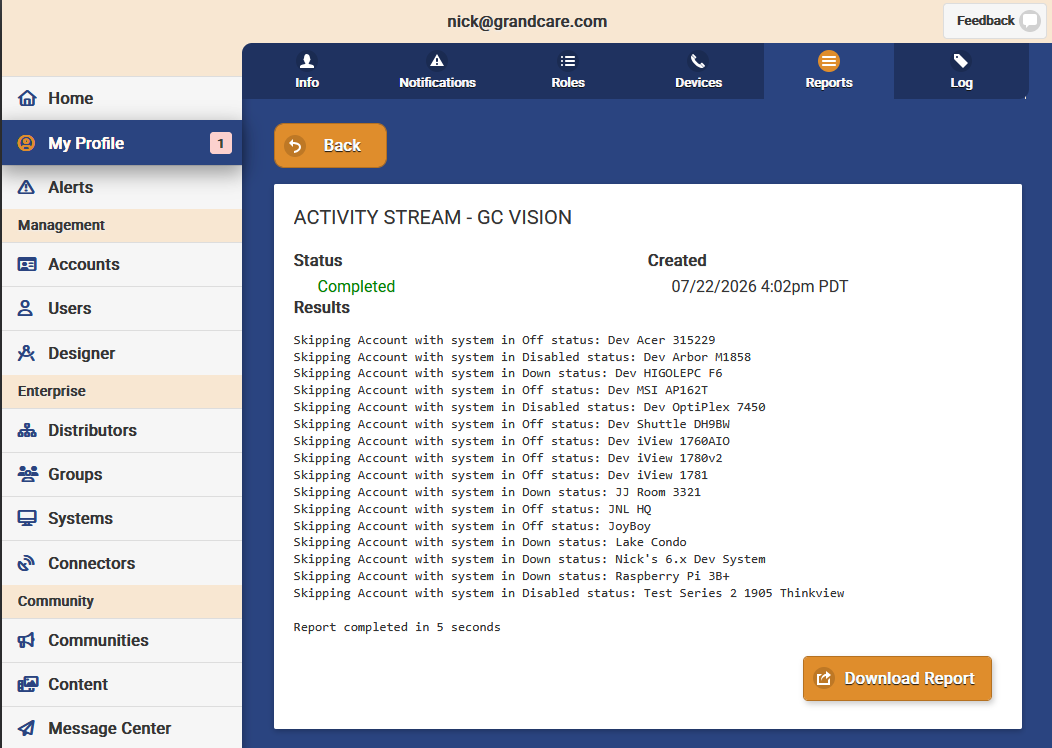
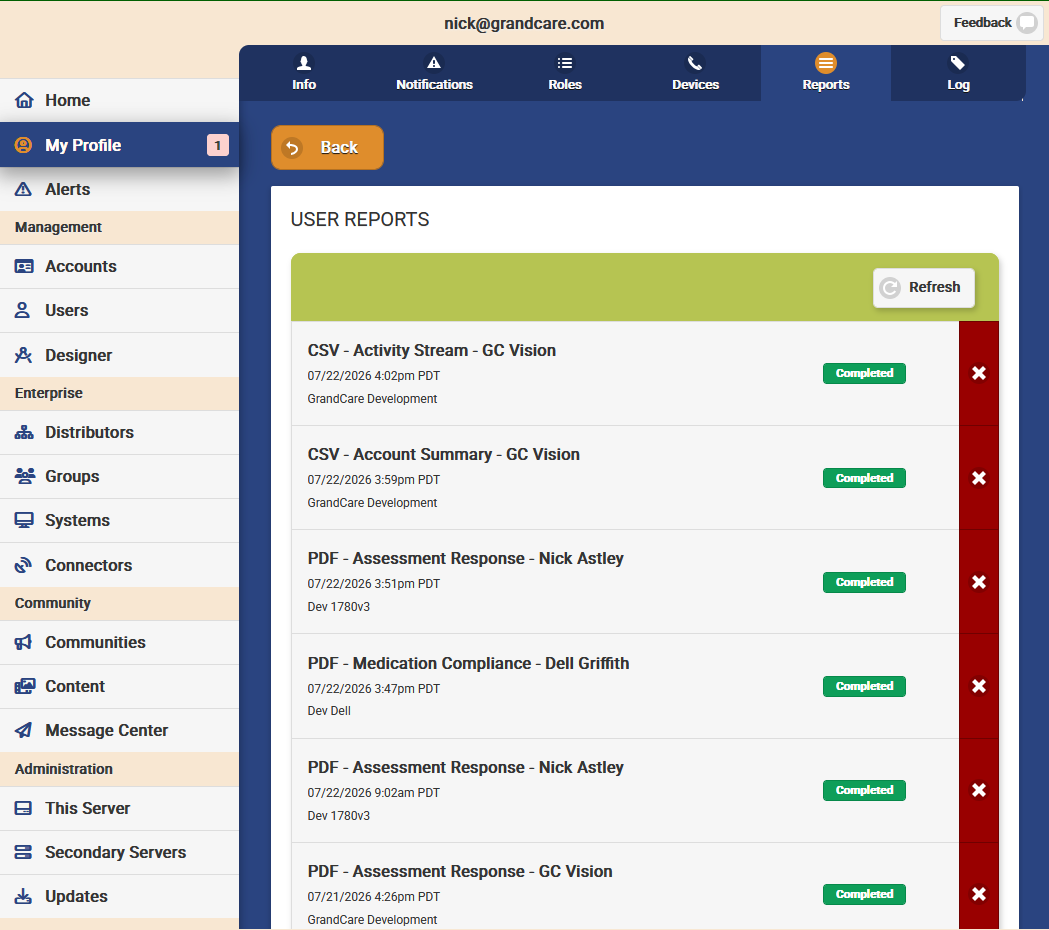
Added Activity Stream CSV and PDF reports
Fixed issue with apostrophes in message center templates
Fixed issue with apostrophes in test-to-speech
This release has a few minor visible changes, primarily a release to support custom assessments.
Changed care plan sort order to be alphabetical if start time is the same
Fixed issue preventing manual vital entry from emulation

This release provides a quick method for adding EVV services for the state of Wisconsin. It also fixes a few issues and changes some functionality around the Care Plan features.
Added ability to add EVV services to account (WI support only)
Changed care plan day view sorting
Required login after activating user/resetting password
Fixed out-of-memory issue with some cached database results
Fixed missing details on failed call logging
Fixed issue with identifying community Todos

Handling large numbers of supported clients just got easier in 1.2.0 with a quick search bar. No more scrolling through the list when trying to find a particular resident — just start typing and the list filters. We also made a few more improvements to video calling.
Added account search to directory
Tweaked video call handling to improve state determination
Fixed still receiving calls when logged out

This release provides two new features and a number of fixes. The first feature is logging the source of a power off, namely if the physical power button was pressed. This will help diagnose issues with systems turning off. The second is an updated solitaire game with significantly more modern look and feel.
Added power button press logging
Updated solitaire game
Fixed ugly error message when displaying deleted event
Fixed issue with blank main menu after applying brand
Added slight UI delay before system reboot and shutdown to prevent errors
Fixed a module message by adding a wait for settings to load in today module

This update provides a number of calendar related features. ToDo capabilities has been expanded to allow for all day ToDos, which functionally allow the ToDo to be done at any time during the day. ToDos can also be added at the community level. In order to support all day ToDos, we added timed ToDo reminders to provide prompts to residents to perform their daily ToDos. Finally, we added a feature to disable modification of the calendar from the touchscreen. Additionally there were a number of back-end performance improvements, some fixes for video call signaling, and the addition of Medicaid IDs for our future EVV implementations.
Added account setting to disable calendar editing at the touchscreen
Added community Todos
Added Medicaid ID for accounts, groups, and user
Allowed Todo events to be set to all-day
Changed check update service to be less database intensive
Changed check update service to install the latest OS and Software version, rather than a stream of updates in sequence
Removed Skype related fields
Improved video call signaling implementation
This release provided back-end support for many of the upcoming changes on the server side. Additionally there were some minor changes to the visibility of assessments and photo ordering.
Added support for all-day todo items
Added support for calendar read-only mode
Added support for timed ToDo reminders
Added PHQ-9 assessment as a menu item
Changed photo sort order in album to newest first
Updated video calling signal libraries
This minor release has a few fixes and improvements in the medication and video calling modules.
Changed medication list to be chronological by schedule instead of alphabetical
Increased video title size in video list if it does not have a description
Fixed pausing and resuming radio when making an outgoing call
Fixed showing medication dialog with no medications
Tweaked video call handling to prevent “lock-out” situations
Fixed error reporting for local radio failures
This release has continued improvements to video calling stability and a few quality-of-life improvements for customization.
Allowed Account Communicate page to be accessed when system is Off, specifically allowing picture and stock albums to be managed
Fixed detecting MediKall support for Safari
Fixed issues with attempting MediKall connection when not logged in
Tweaked video call handling to prevent “lock-out” issues
This release focused on improving the reliability of video calling. We moved to the same code used in the On-Call Client to manage calls and updated the third-party video call libraries.
Switched to common libraries for video calling
Updated twilio-video library to 2.27.0
This update for On-Call Client upgrades its main engine and video call libraries, improving reliability and performance. It also implements the recently introduced Account setting for variable ring length. Finally it resolves an issue with opening the notification and managed alert links in the system browser, rather than a built in browser.
Added support for variable ring length
Merged video call fixes from shared libraries
Upgraded to electron 25.3.0
Fixed opening notification and managed alert links in system browser
This minor release resolved a few issues, mainly focusing on an intermittent issue that made residents unable to make or receive calls for 5 minutes after a restart.
Fixed issue with video call that caused intermittent 5 minute delay to logging in
Fixed touch related issue with King's Corners game
Replaced missing WI radio stations

This release provides account configuration for video calls. You can now set how long a video call is allowed to ring before it is considered “missed”, allowing residents with mobility issues more time to answer the call. You can also set limits to when a resident can make an outgoing video call, allowing for management or residents with potential boundary issues.
Added variable video call ring length per account
Added video call availability per account
Fixed stock photo management for accounts

This release added support for variable video call ring lengths and video call availability. Call availability limits a resident to making outgoing calls between specific times. Both of these functions are managed through the account settings for a particular account.
Added support for video call availability and ring length
Added local radio station for all US states
Changed new ZWave devices to start at 100% battery level
Fixed Wifi MAC address detection
Refactored touch handling for King's Corners game

This release provides access to GrandCare’s curated content. Stock photos can be added to both communities and accounts, allowing resident’s touchscreens to quickly be assigned content that they are interested in. As GrandCare adds content to these curated lists it will automatically be added to both the slideshow and photo album sections of the resident’s touchscreen.
Added new Content section
Added stock photo management for both communities and accounts
Increased visible photo count in gallery view from 8 to 12
Switched to FontAwesome Pro icon support
Fixed issue with hashes in stored files
Fixed issue with uploading video files for instructionals
This minor release fixes a issue with the end of King’s Corners game and prepares photo folders for a number of upcoming enhancements.
Improved description / source of photo albums
Fixed restarting King's Corners game
Improved lockdown of YouTube video player
Fixed quirks in local radio player

This major release reimagines how ZWave devices are managed on the system. You can now add ZWave devices directly from the touchscreen without having to handle the antenna. This works for Z-Sticks and allows the usage of the Zooz 700 and 800 series antennas. You can also rename devices directly on the touchscreen once they are added using the new device edit dialog:

We also added the King’s Corner and fixed a few issues.
Added ZWave management dialog
Added King's Corner game
Added support for Zooz ZSE11 Q Motion/Temp Sensor
Added support for Zooz 700 and 800 series USB antennas
Changed medication dialog to not preempt video calls
Updated device view dialog to allow description/location editing on the touchscreen
Changed dialog centering to be more predictable
Fixed all YouTube links to open in embedded viewer
Fixed video link icons on Main Menu
Fixed Next rules not correctly disabling after firing
Another minor release with a few bugfixes and some quality of life improvements.
Added "Clone" function for community photo albums
Changed all time input boxes to native picker
Fixed display of unconfirmed service requests
This minor release fixes a few issues with new features.
Fixed search in the Connectors view
Fixed selecting date for group reports

This minor release provides a quality-of-life feature to add roles to multiple users in a single request. Now, when you add a new account or group, you can quickly add all of your caregivers in a single operation. This feature can be found underneath the main “Users” tab next to the “Add User” button.
Added "Add Role to Users" function
Fixed issue with missing settings, preventing some Accounts to unexpectedly disappear from Video Calling in a community setting
This release resolves two issues that were causing intermittent issues when rejecting and auto-answering calls that would leave the application unresponsive.
Fixed intermittent issue when requesting auto-answer
Fixed intermittent issue when rejecting calls

This release adds the Profile module under Caregiving. Once a caregiver has logged in on the touchscreen, the Profile button is available as seen below:

This module displays the Resident Profile / Notes and photo set for the resident in GCManage. It also lists any Account Documents associated with the touchscreen’s account and allows them to be viewed directly on the touchscreen.
In addition to the Profile module, this release fixes a few minor issues related to the browser.
Added Profile module under Caregiving
Normalized back button and icons for most modules
Fixed scrollbar icons on browser
Fixed blocking of new windows when clicking news links on browser
This maintenance release fixed a few minor issues, including one with video calling visibility in communities and another with multiple copies of the same account document. A fairly large change was making email addresses case insensitive during login, which is the general standard of the email RFC.
Fixed account visibility in community video calling
Fixed case sensitivity in user names
Fixed issue with viewing same account document uploaded multiple times

This release adds the ability to attach PDF documents to an account under the Caregiving tab, where they can be viewed by caregiving staff. In a future In-Home Device release these documents will be available for viewing at point-of-care under the Caregiving section of the touchscreen.
Added account documents under Caregiving in account view
This release fixed a few display related issues, especially when viewing a large number of residents.
Fixed scrolling for large number of residents
Fixed resident name text sizing
Fixed dynamic error reporting
Although not highly visible to the end user, this release brings a full rewrite of the touchscreen menu. These changes will allow for very deep customization of the resident’s experience. For now, the customization of the menu is still done via the care menu. As always, there were several other minor tweaks and fixes to the system.
Modernized main menu and sub-menus
Added caregiver actions (check in/out, check care plan, add care note) to activity stream
Added support for more advanced radio streams
Removed stock websites options for main menu
Improved "black screen" detection and repair
Improved radio program error detection
Fixed bubble popper back button and multi-popping
Fixed sudoku back button
Fixed broken game styles

Initial release of our native remote caregiving app! Never miss a call or notification while running this on your desktop while on-call.

Two major features were released in this update: a preview of the directory generated by a community and group-level reporting.
Added community directory preview
Added group-level reporting for multi-account reports
Added server setting to disable emergency messages
Fixed managed alert severity in test alerts

The 6.14 releases marked a major refactor of several of the underlying touchscreen rendering technologies. We have been improving and adjusting this new code for the last several limited releases, ensuring that any issues are ironed out before we have a more widespread release. Two of the more visible changes have been an improved display of photos in the slideshow and a greatly improved monthly calendar. We will likely have one more release after this one before the 6.14 changes are pushed out to everyone.
Added new monthly calendar module
Added Bubble Popper Game
Added PHQ-9 assessment
Improved browser pop-up keyboard to work on more websites
Improved slideshow crossfading and image display
Fixed Restart Application button under Settings

This release adds a few new reports and fixes a few reports.
Added account level check-in history report
Added account level todo compliance report
Added support for simplified service type
Added dosages to medication schedule reports
Improved report error handling
Changed account default to split main menu and slideshow buttons

This release focused primarily on reporting. It added a few new report types and resolved a few issues.
Added account level check-in history report
Added account level todo compliance report
Added dosages to medication schedule reports
Improved report error handling
Changed account default to split main menu and slideshow buttons
This release (and previous releases) were primarily to resolve issues as we gear up for the next major release.
Added dialog to indicate BTLE listen has timed out
Added marking Todo items as missed if they are not checked or refused
Increased BTLE listen time to 15 minutes
Changed service request dialog to handle simple services
Removed deprecated antennas from antenna menu
Fixed trivia question selection algorithm
Fixed datebox on community service request
Fixed resident name in assessment care note
Fixed support for antennas on 1786AIO
Fixed display of wellness device reading history

gcmanage 2.10.0 extends the functionality of services, making them more visible to community managers. This is implemented with a monthly and daily view of services to be provided to the community members. It also allows community managers to quickly see unconfirmed services and get them on the schedule.
Added service calendar to community services page
Added listing of unconfirmed service requests
Added ability to cancel service requests
Changed cancel behavior to remove existing confirmed service events
This maintenance release fixed a number of issues, the primary of which was allowing incoming video call rings when a resident was already in a video call.
Fixed ringing when resident already in a call
Fixed legacy style issues in FA brand

This release added an indicator for actively online users in the video calling menu.
Added green dot indicator for actively logged in users in Video Call module
Added support for caller name and image override in video calls
Added FA brand
Handled missing stock photo directories
.png)
.png)
This release expanded on how scheduled services are displayed in the calendar. It also gives residents the ability to cancel service requests.
Added check mark to services that already have a confirmed appointment
Added resident ability to cancel services
Added support for Service reminder events
Added TTS support for event view dialog
Changed "Concierge" notification type to "Service" in notifications
Improved trivia frequency and region targeting
.png)
This primarily back-end release supports the changes to service events in como 6.13.1, specifically adding the concept of service cancellation. It also fixed a few permissions and sync issues.
Added support for Service event type
Added service cancellation back end and email notification to providers
Changed event type generated for services to Service
Changed service confirmation notification to remove Concierge language and be a little more generic
Improved legacy sync failure handling
Allowed managed alerts to be handled by Group/Account Caregivers
This release is the first in a series of improvements to the Community Services feature. Services can now have multiple email addresses assigned to them, and more informative emails for both the request and the confirmation are generated.
Added confirmation email to providers when service is confirmed
Changed service definition to allow multiple provider email addresses
Changed service request and confirmation email to include name of service in subject

Sometimes when setting up a rule you may want to simply record the triggering of the rule without sending out a notification. We have added this ability. This can also be used to create managed alerts without associated notifications by setting the rue severity to Critical.
Added support for internal dashboard alerts for all rules
Fixed CLC brand and associated items
Fixed image filenames in captions
Fixed pairing instructions for AnD UA-651BLE Blood Pressure Cuff
Separated medications that start on another medication end in schedule

This release adds support for internal dashboard alerts. These are alerts that do not create a notification but are generated for a certain rule condition. You can filter to these alerts as well as set a severity level for them.
Added Internal alert types
Defaulted to viewing enabled AND disabled accounts for community view
Fixed community "Is Filter" checkbox not showing correct state on edit
Fixed ability to remove a disabled account from a community
This minor release added/fixed support for the Zooz ZWave sensors and fixed a few other minor issues.
Added support for Zooz ZSE40 Motion/Temp Sensor
Fixed support for Zooz ZSE41 Door Sensor
Fixed incorrect subject of emergency message playing on two different calls
Another minor release, 6.12.5 fixed a few issues around the Caregiving functionality on the systems.
Added external speaker enable automatically as part of volume control
Removed ability for caregivers to check in using emulation
Removed Posit Brain HQ game
Fixed behavior if user cancelled PIN login for caregiving
This maintenance release fixed a few minor issues and added Wordle by New York Times under games section (which works quite well on the system, including remembering your scores).
Added Wordle by New York Times under games
Fixed issue with rule severity not saving for certain sections
Fixed an issue with incorrect timezone for certain applications

This version adds full management of an Account’s calendar on the server side. You can now find the Account’s calendar under the Communicate tab from which you can add or edit events, to-dos, and assessment reminders. Also in this release is the ability to generate test managed alerts and set the severity of the alerts.
Added calendar management for accounts in communication page
Added ability to create test managed alerts
Added severity to the test alert form
Added account option to split or combine Main Menu / Slideshow buttons
This primarily back-end release added support for a new ZWave door sensor and added a few content items.
Added support for Zooz open|close xs sensor
Added brochures to NH Blog section
Added Satisfaction with Life assessment
Updated directory downloader to work with gclinux 4 and 5 OSes
This minor release added a new server and updated the video calling libraries.
Added ApolloCare server for medikall
Upgraded TwilioVideo library to 4.6.3

This release finally provides admins the ability to manage their peer systems directly rather than having to request support GrandCare. Using peer systems and notifications rules, you can have notifications from individual systems appear on a communal system. You can find the Peer System section under the Associations tab when viewing a system. This release also fixes a few issues related to activity reminders and emergency messages for certain servers.
Added Peer System management
Fixed YouTube videos for Activity / Instructional setup
Fixed removing system updates when multiple updates are queued
Fixed web directory for emergency message text-to-speech on some servers

There have been several interim releases since the last one we documented on this site (6.11.2) that were mostly of a back-end nature. 6.12.2 is the first to have visible changes for the end user. We have overhauled the Activity / Instructional display to match our existing UI and improved the layout. These events will now show up correctly in the calendar reminder dialogs.
Changed instructional styles to match existing UI
Updated on-screen button press confirmation to show affirming icon
Improved audio handling through back-end consolidation
Fixed radio pause / resume during video playback and video calling
Fixed audio for emergency messages
This small release fixes a number of minor issues discovered in the new year.
Fixed button layout on sidebar
Added check for inconsistent timezone between UI and back end
Fixed broken NH December survey
Added a few more Missouri radio stations
This minor update primarily fixes a few issues in the previous release. It also adds a bit of new content.
Added December Survey for NH
Added local radio stations for Missouri
Replaced a number of NH fall prevention videos
Tweaked EN brand
Added check for broken como-electron installs
Fixed button layout on bottom button bar for all modules
Fixed error handling radio program audio streams


In gcmanage 2.8.0 we reintroduce the concept of Managed Alerts. These alerts, which are created by setting a severity of 4 on the associated rule, must be actively resolved by staff. Once claimed, users can add notes to the alert until it is resolved. Users will receive an audible notification sound and a numeric indicator by Alert section in the sidebar. This release also contains a number of back end improvements and optimizations.
Added full managed alert workflow
Added sidebar notification on Unchecked managed alerts
Added severity from ruleset engine to generated alerts
Added filter flag to communities
Fixed issues with older browsers by using ECMA 5 minifier
This release provides significant improvements to the support of BLE health devices including support for a number of new devices. This includes adding buttons to restart the Bluetooth stack on both the pairing page in setup wizard and the Vitals page for taking readings. Several ZWave support issues were also resolved.
Added support for A&D UC-352BLE Scale
Added support for A&D UA-651BLE Blood Pressure Monitor
Added support for NONIN 3230 Oximeter (v3 and above)
Added Restart Bluetooth button on wellness device page in setup wizard
Added Restart Bluetooth button on vitals module
Added Seizure assessment and November Survey for NH
Removed character limit to "location" field in calendar database
Fixed misaligned bottom bar buttons on touchscreen
Fixed support for a number of Aeotec ZWave devices, including EU certified
Minor release that adds support for the Recessed Door Sensor 7 and fixes a minor issue.
Added support for Recessed AeonLabs D/W 7 sensor
Added NH October Survey
Fixed hanging bugs in care menu under certain circumstances
Added EN brand
Fixed no communication rule firing more than once a day
Added optional completion text for assessments
Added optional action button to video lists
Added Fall Prevention section for NH
Added NH Fall Risk Survey
Added support for new AeonLabs D/W 7 sensor
Switched Fora LE devices to use simplified LE pairing
Fixed duplicate reading detection for Fora V10 glucometer
Fixed low battery/no communication once per day limitation

2.7.4 provides an account setting that will notify caregivers and admins when the system has a device that is not communicating or has a low battery. A notification email will go out to the same email list that generates System UP / DOWN notifications. This allows caregivers to proactively change batteries and fix misbehaving devices.
Added account setting for notification on low battery and no communication
Added low battery alert text
This minor release added support for the Low Battery / No Communication notifications that can be enabled per account. See the GCManage Server 2.7.4 release for details. Minor tweaks to the Rule Severity Level were made as well.
Added Orange/High rule severity level
Added device notification on low battery / no communication
Changed "Dashboard Priority" to "Rule Severity Level" when creating rules
Fixed support for critical level rules generating managed alerts
This release is primarily for maintenance of a few long-standing issues and updating third-party libraries.
Renamed "Request Answer" button to "Auto-Answer" to match terminology used elsewhere
Upgraded Sentry library to 7.2.0
Upgraded TwilioVideo library to 4.5.0
Fixed Visit Care Portal line in account view
Fixed Account View crash when view is already showing
Disallowed auto-answer before Twilio resolved call
Added check of returned object type when initiating a call
Removed discontinued secondary UK servers
The primary focus of this release is to remove a number of legacy modules and clean up a few existing features. We have fully removed the old Wellness module and replaced it with the Vitals module across all brands.
Added logging for EULA signing by resident
Swapped Vitals in for Wellness on Main Menu for all systems
Combined Main Menu / Slide Show buttons and added Screen Off button for NH Brand
Fixed issue with adding calendar events from the care menu
Fixed issues with unknown devices in ZWave adding process
Removed coroHealth music programs and associated configuration screens
Removed legacy Skype implementations
Removed legacy flash player installation
Removed legacy wellness module
This minor release added a few changes for tracking account activations and fixed an authentication issue.
Added server setting for who receives activation emails regardless of group settings
Tweaked activation email behavior to work off EULA signing not software loading
Handled expired access tokens in session

This release provides a sneak-peak of a feature that will be released as part of a future software package. The Activity Stream provides a look into the activity at a residence in chronological order, including motion, door, medication, and assessment activity. This can be found under Account -> Data section in the portal. This release contains several bug fixes and other tweaks as well.
Added Activity Stream data view for accounts
Added postal code validation for all forms
Added Master PIN code validation on Account form
Added search by External ID for Accounts
Properly validated comma separated email lists in Group form
Handled error messages when calling notification API
In preparation for our new remote monitoring dashboard, we are building out a number of features under the hood. In this release we added the back-end components for the "activity stream" which gives a snapshot of the activity on a system across all its modules. We hope to expose this in the next server release. As always we released a number of bug fixes in this release as well.
Added activity stream logging for events on system, including resident actions
Added NH August Survey
Added region detection for local radio module to provide radio stations local to the system's home state
Fixed issue with notification of calls when caregiver is already in call
Removed reapplication of NH brand that was removing customizations
Fixed issue with main menu caching after updates
This release is primarily to resolve issues, but also adds improvements to the resident user experience should the device go offline. When pressing the on-screen button or accessing video calling, the resident will be notified that their unit is offline.
Added better messages for on-screen button and video chat if the system is offline
Added Blog section to mynetworkhealth module
Added Caregiving app back into the 21 brand
Fixed issue with health rules saving incorrectly when edited
Fixed message when low vital reading is manually entered

This release marks a significant change to the wellness device behavior, and therefore will not be generally released immediately to preserve existing user functionality. Added is a new vitals module that triggers the listening by the Bluetooth devices and allows for manual entry and viewing of history. Additionally, we improved the size of the YouTube player and added a new Word Search game.
Added new vitals module
Added manual vital add dialogs
Added word search game
Added support for health rules on manually entered vitals
Changed BTLE device behavior to only listen while in new vitals module
Modified on-screen button to be at bottom of button area
Improved size and behavior of YouTube player dialog
Updated behavior of failed callout service calls to not proceed with next number on call lists
No longer display old health reading warnings on touchscreen
Improved reliability of Fora IR20b pairing
Improved pop-up keyboard behavior for MDLive site on browser
Fixed overlapping video entries in video list
Muted external resident notifications when in DnD and Away Modes
Fixed deleting of thermometer readings
This minor release will be released only to our NetworkHealth members. These changes will come available for all other customers in the 6.10.0 release, tentatively scheduled for release next week. This update provides the July Survey and a few content changes.
Added NH July Survey
Added 0 - 7 scale for assessment responses
Added video lists for LD brand
Added Car Talk episodes for July
Removed stock photos deemed offensive by some members
Minor release to resolve a few of the outstanding issues from the recent VPN changes in the operating system and add peripheral support for the new iView systems (1780AIO). Also fixes a number of specific provider issues.
Added peripheral support for 1780AIO
Added dynamic NH support phone number based on distributor
Added help video for Mix and Match
Fixed Issue with care menu detection of VPN
Fixed Full Circle brand issues

This maintenance release is primarily focused on cleaning up several outstanding issues and ambiguous terminology with Away Mode and fixing a number of other minor issues.
Added Account notes to Account Details page
Allowed Account External ID to be editable
Changed ambiguous "active" terminology in away periods
Changed initial state of days of week to unchecked in away period form
Added loop of three times for outgoing calls
Fixed group transfer between distributors
Fixed incorrect method for date comparison when determining if account is away
Prevented start time to be after end time in away period
Refactored tone player to handle chrome playing issues
Fixed DOW calculation in away periods to account for timezone
This release of the iOS app addresses several of the video calling stability issues. We upgraded to the latest version of the supporting video libraries and updated the remote error reporting as well.
Updated video chat libraries
Updated remote error reporting libraries
Bugfix release to deal with a few new issues with the slideshow and VPN detection.
Added NH June Survey
Cleaned up messages for autologin
Handled potentially different VPN names (tun1, tun2, etc)
Fixed failure to start slideshow issue
Primary focus of this release is to add support for missed call notifications for Caregivers on the server side. Added some hardware support and fixes for networking as well.
Added support for missed call notification on server for outgoing calls
Added support for ZWA011A Aeon Labs Door Sensor 7
Added fixing of resolv.conf (at startup and periodically) to improve DNS reliability

This release adds notifications for server users, primarily used to notify them when they miss a video call from a resident. This release also marks a pivot to using the more modern API for many of the data requests.
Added User Notification page under My Profile
Added notification of missed video calls
Updated expiring Apple Push Notification certificates
Fixed auto-answer button not disappearing after call is answered
This release provides an improved user experience when using notifications. The resident can now view older notifications and notifications clear once they have been viewed.
Added display of old/read notifications
Added community photo in slideshow preference
Revamped notifications to use modern API
We added Connector management and expanded Away Mode functionality to work with specific times and days of week. We also resolved a number of issues.
Added connector page for viewing system/connector associations
Added intra-day away schedules for accounts
Improved a number of security measures on the web server
Handled care notes created by residents
Handled message fetching for non-users
Delayed ability to auto-answer until call is valid
Clean-up release, polishing existing features and resolving issues.
Added NH May survey
Revised mynetworkhealth module to include WellNews and website/portal views
Increased connector update push frequency by checking for changes
Updated EULA to include fitness video clause
Filtered common web rendering issues from sentry.io reporting
Fixed permissions script to be more selective about resetting path settings (namely excluding log directory)
Cleaned up service calling script
Shortened timeout on system shutdown service call to speed up shutdown
Removed periodic permission resetting